Edit Role
How to edit a role
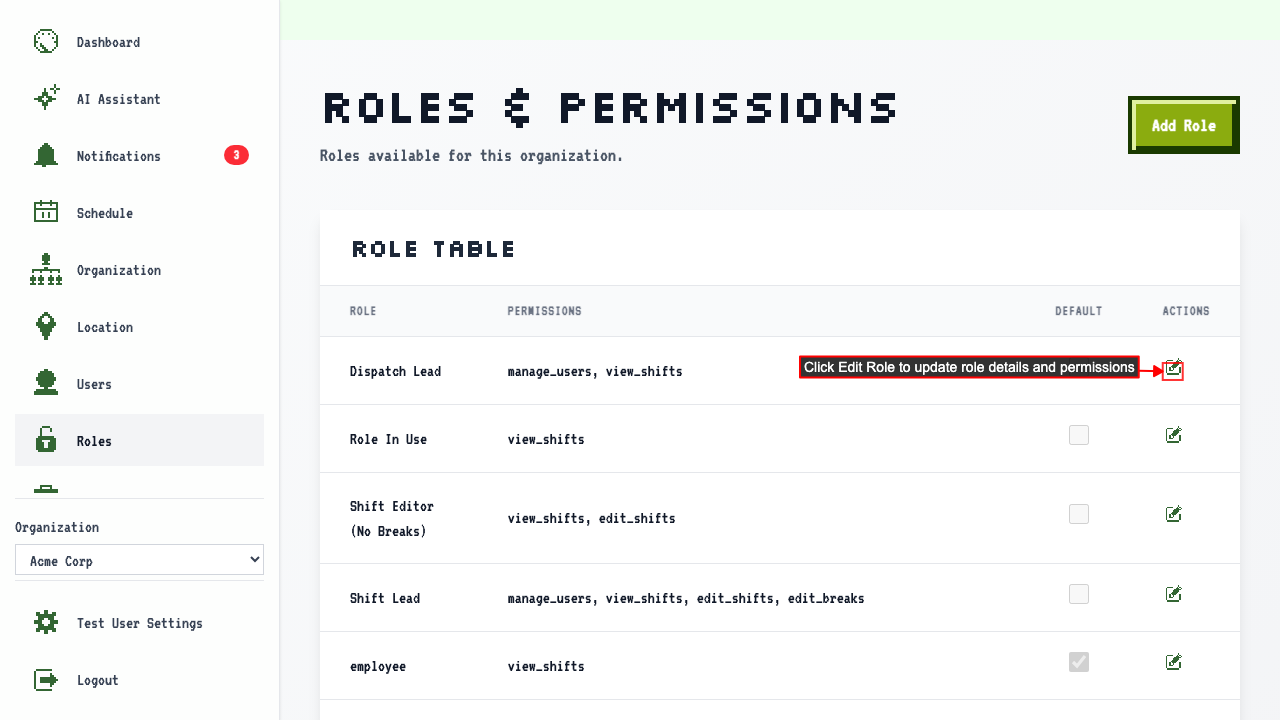
When on the roles and permissions page,
the role table shows the role and its current permissions.
Click the Edit Role link for the role you wish to change.
 Then the edit form shows current role values.
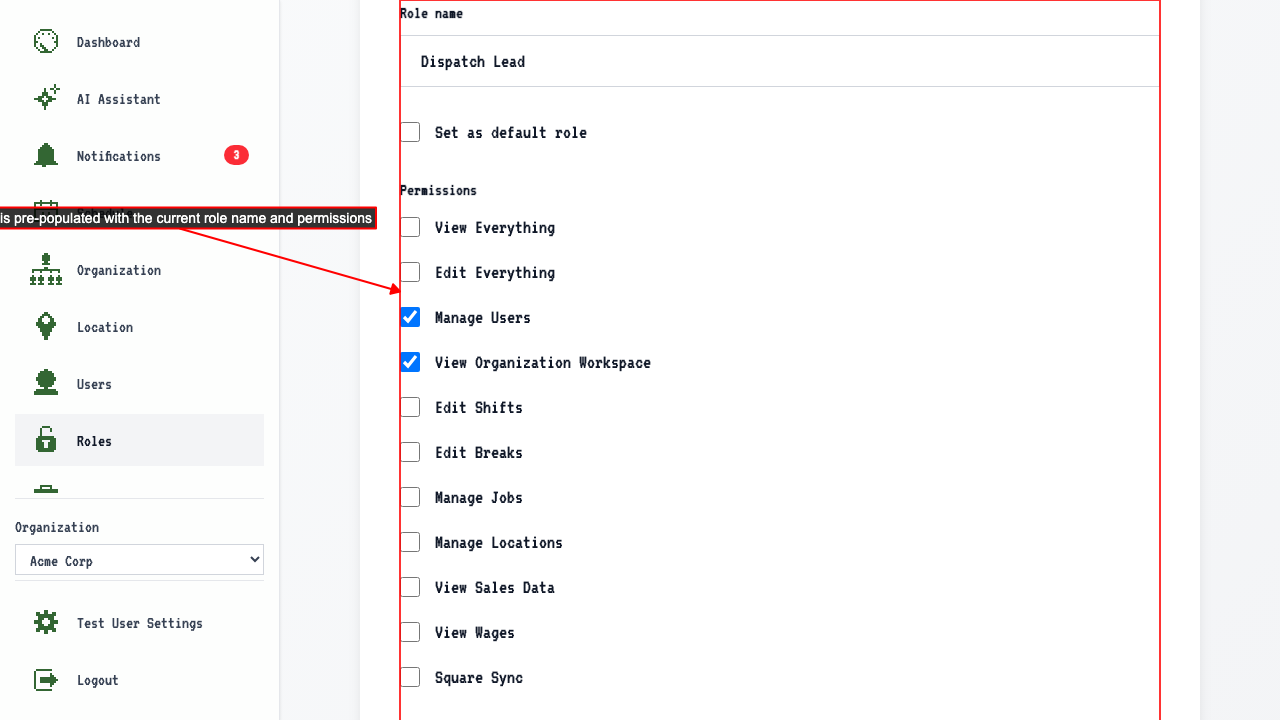 Here you can update:
- Role name
- Permissions
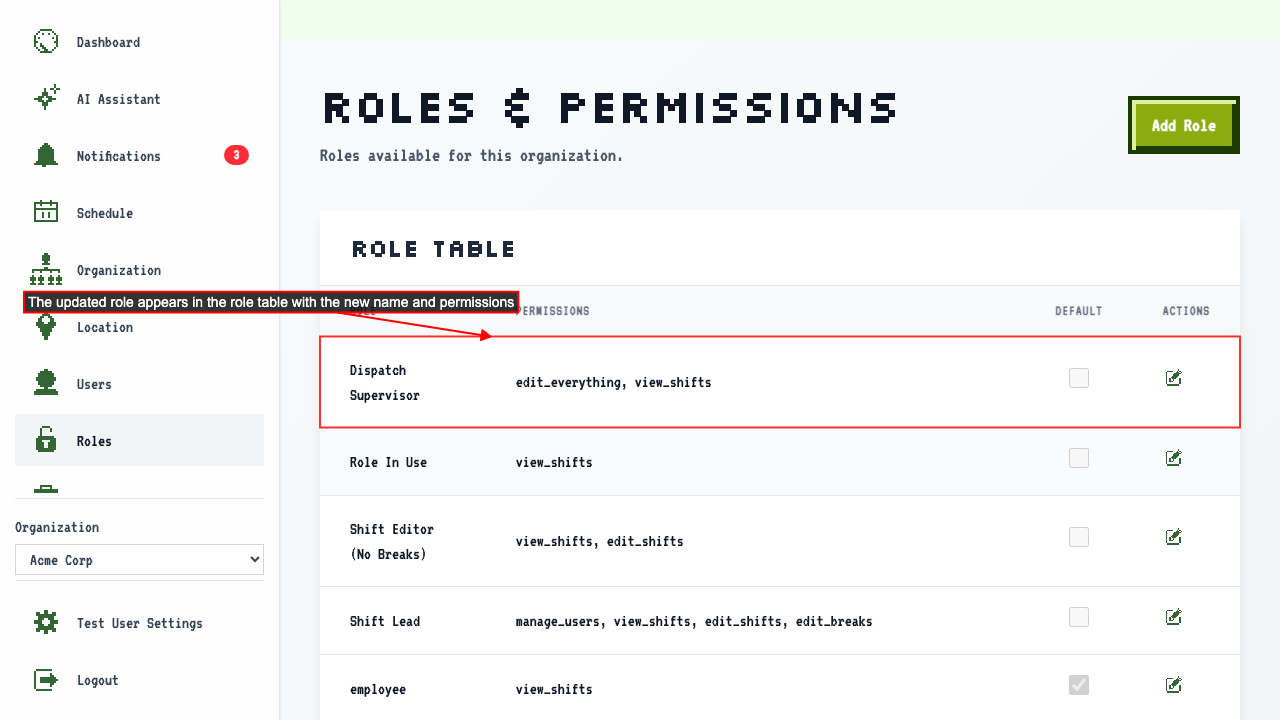
After you are done making changes, click the submit button and the roles table will show the updated role and permissions
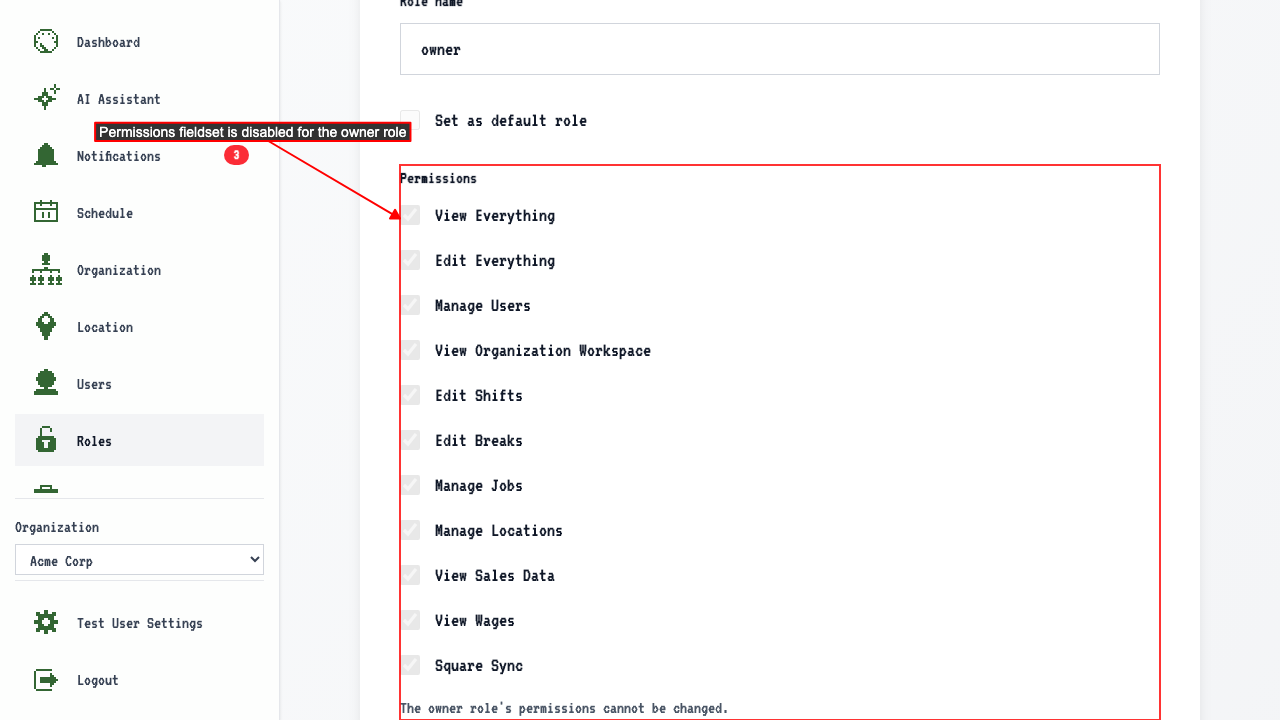
Unable to edit the owner role's permissions
When on the edit page for the owner role,
the permissions fieldset is disabled and shows a message explaining it cannot be changed.