Staff View
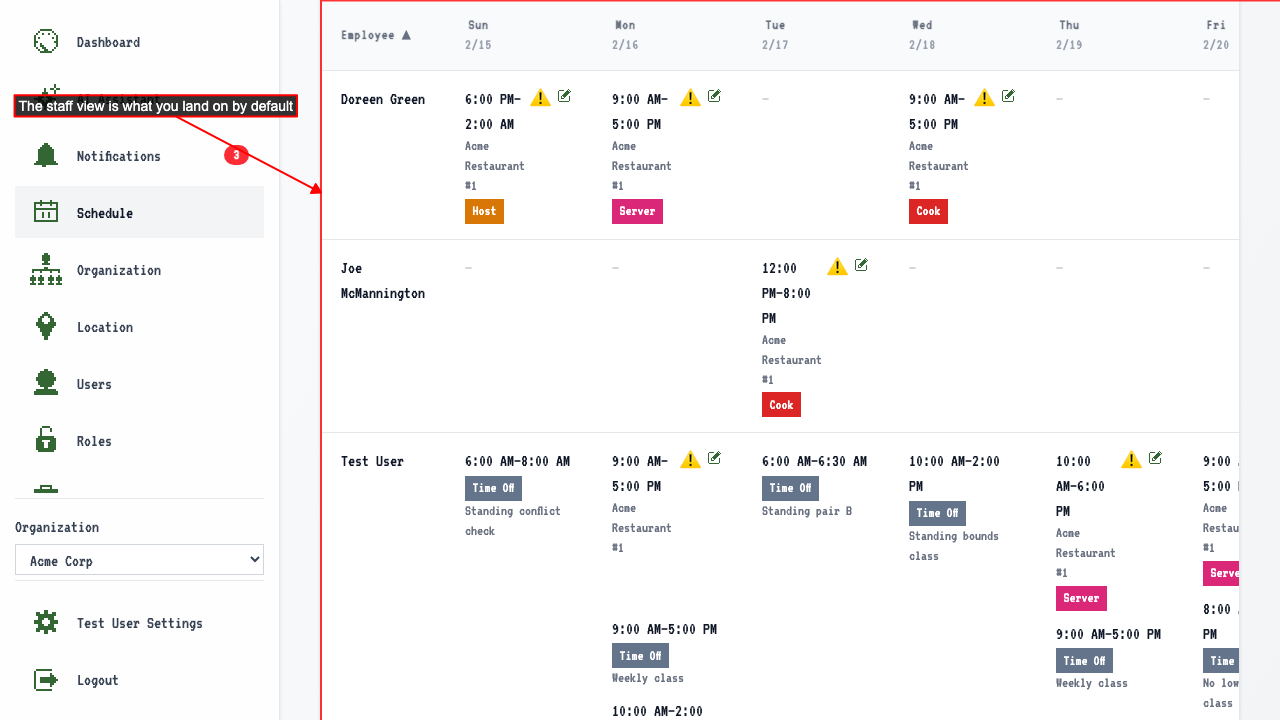
The staff view is the default schedule view
Navigating to the schedule with no date takes you straight to the staff view.
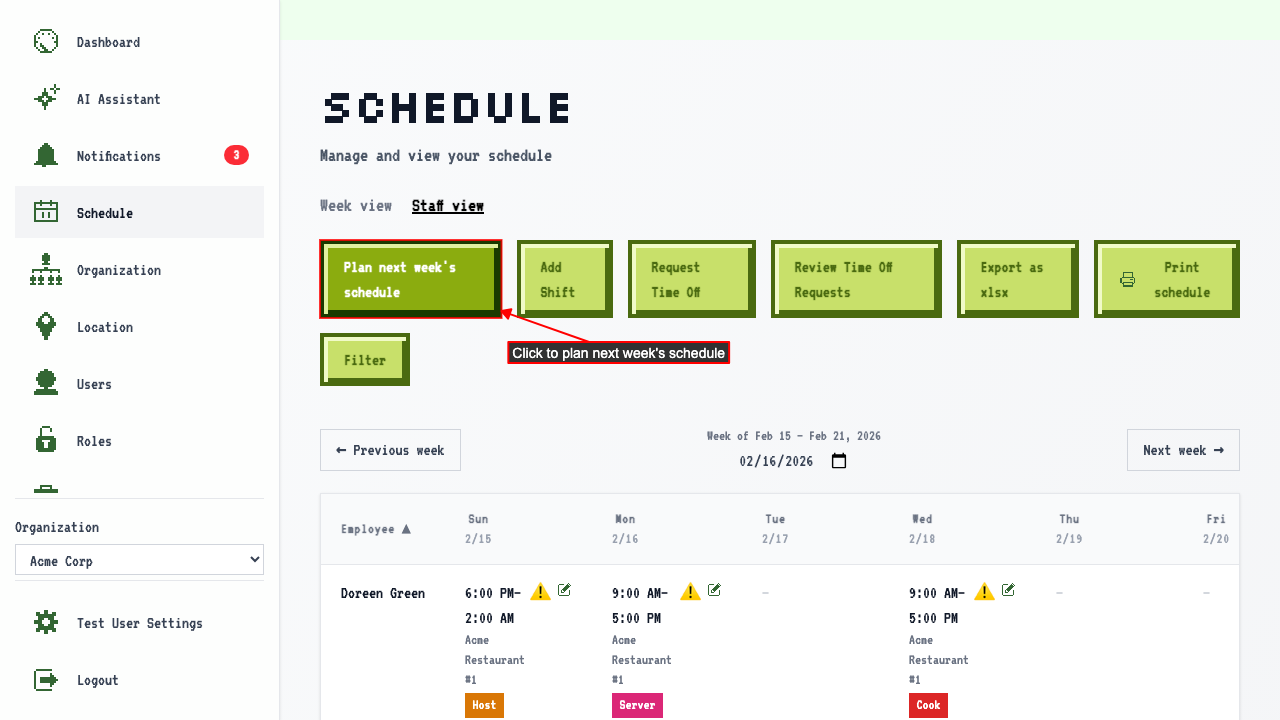
Plan next week's schedule is also available from the staff view
From the staff view, clicking 'Plan next week's schedule' takes you to the plan page.
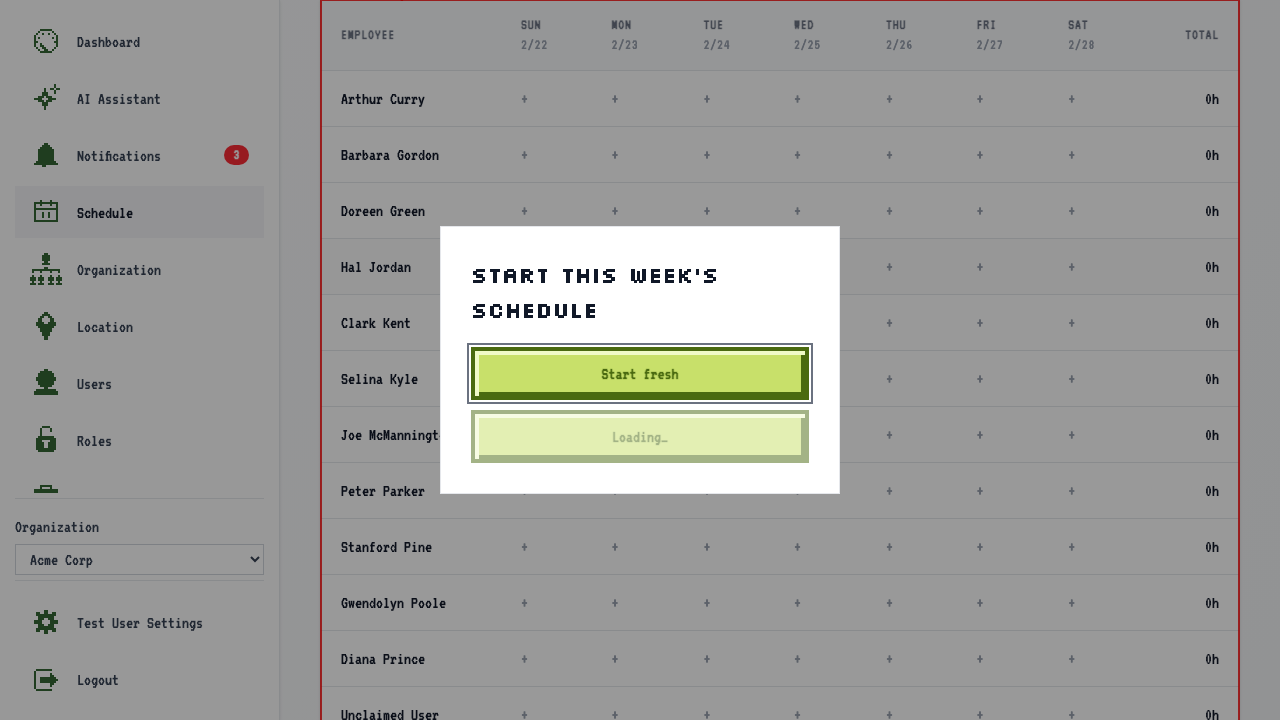
 It opens on its own staff table, matching the view you were planning from. You can still switch to the week view with the tab above it.
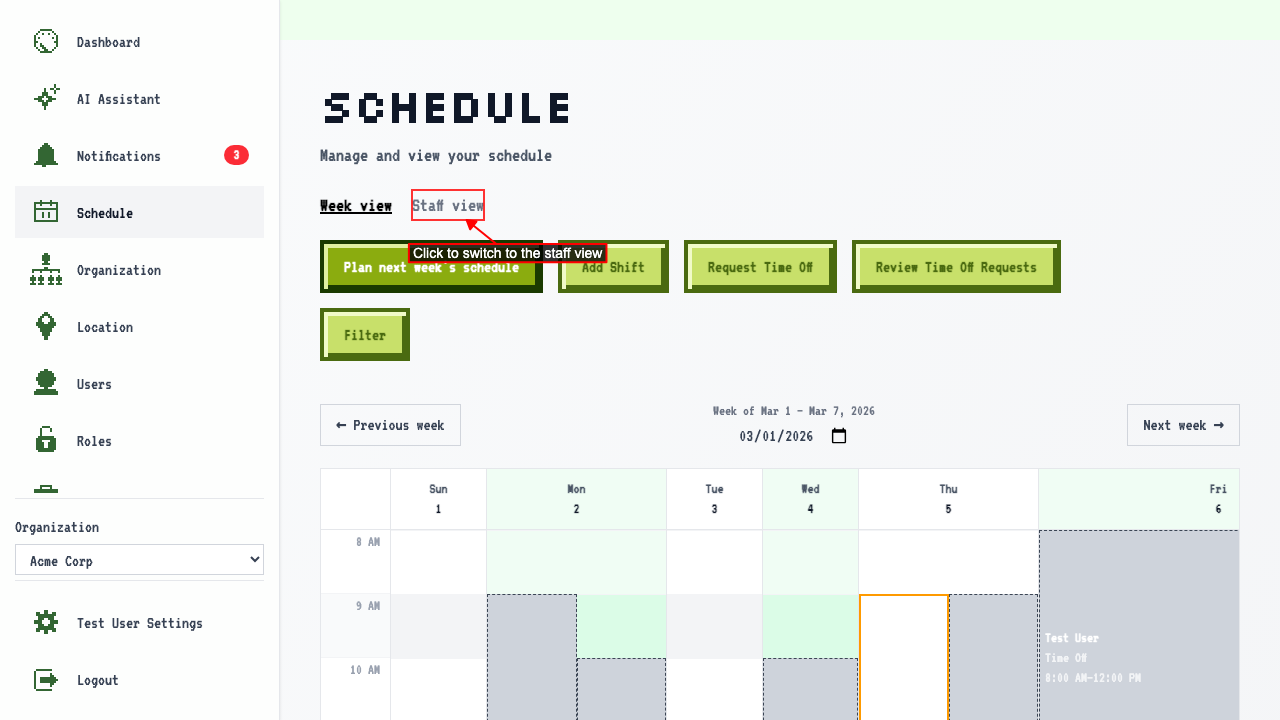
Switching between calendar and staff view
When on the schedule page
clicking 'Staff view' switches to the staff view.
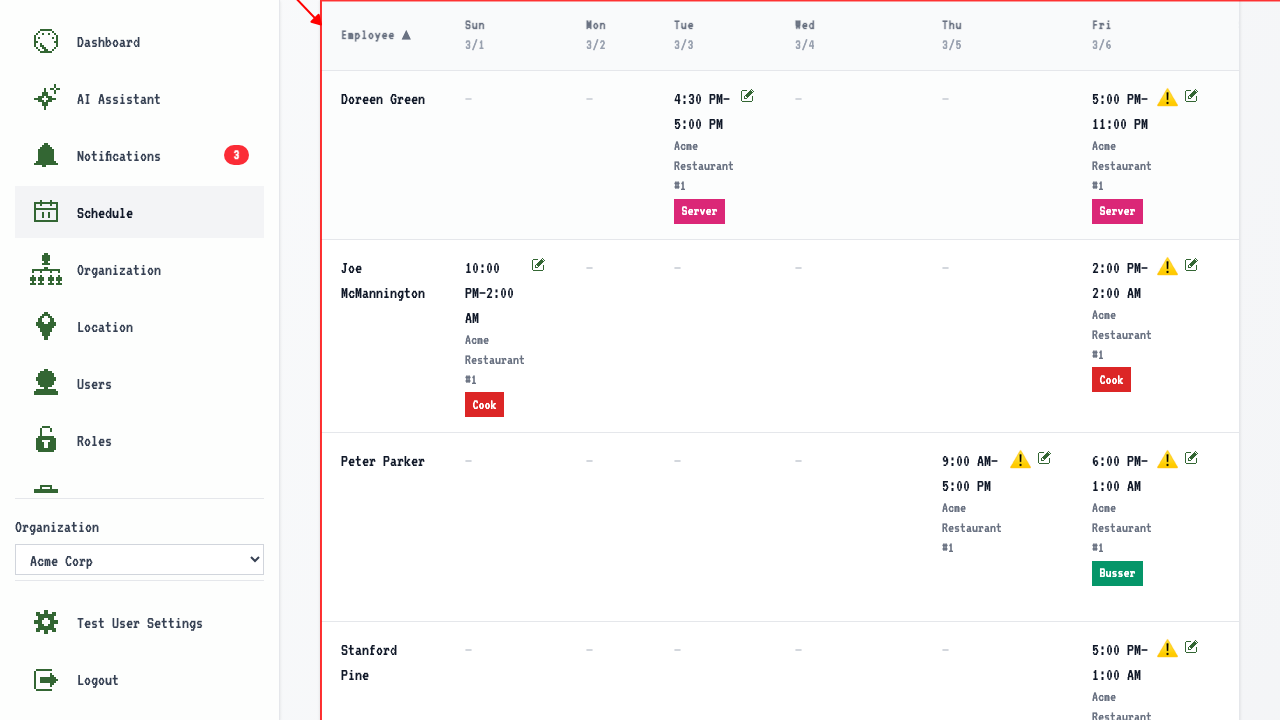 Here you'll be able to see shifts for all the employees and what shifts they have that week by the day. There is also a total of how many hours each employee is scheduled for. Shifts that cross week boundaries are clipped to the week.
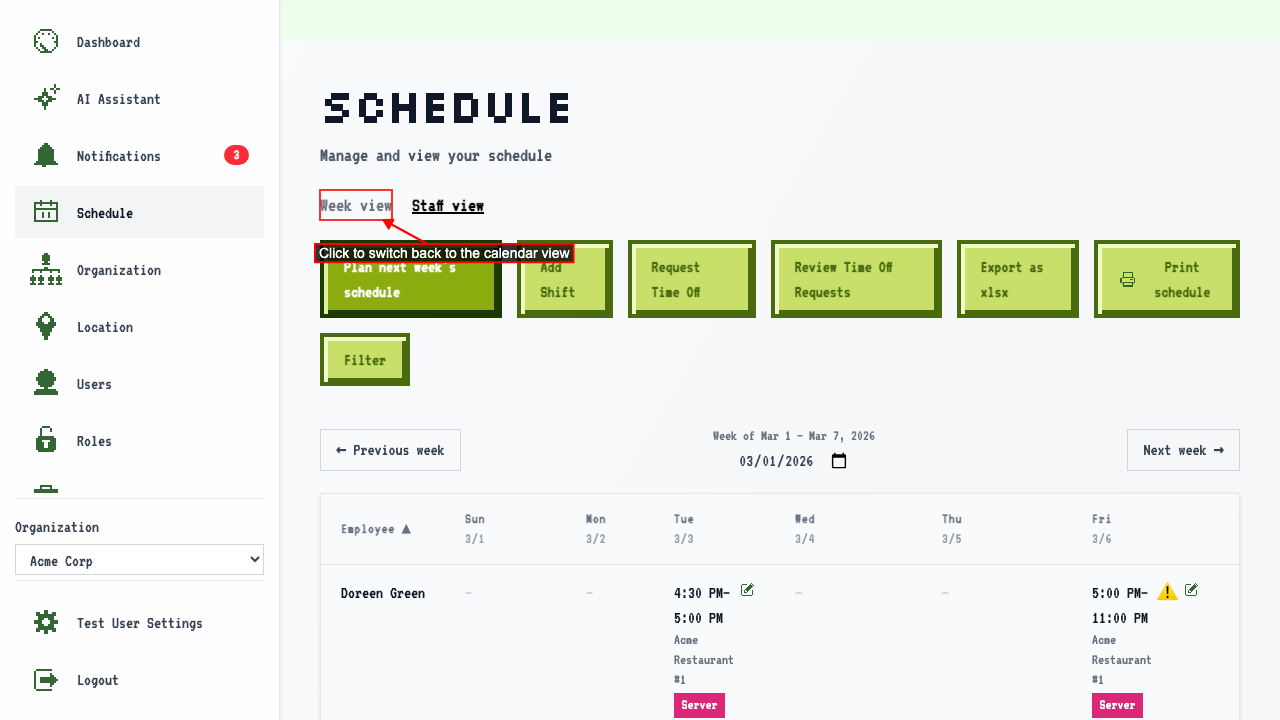
Clicking 'Week view' switches back to the calendar view.
Here you'll be able to see shifts for all the employees and what shifts they have that week by the day. There is also a total of how many hours each employee is scheduled for. Shifts that cross week boundaries are clipped to the week.
Clicking 'Week view' switches back to the calendar view.
Changing the date
When on the staff view
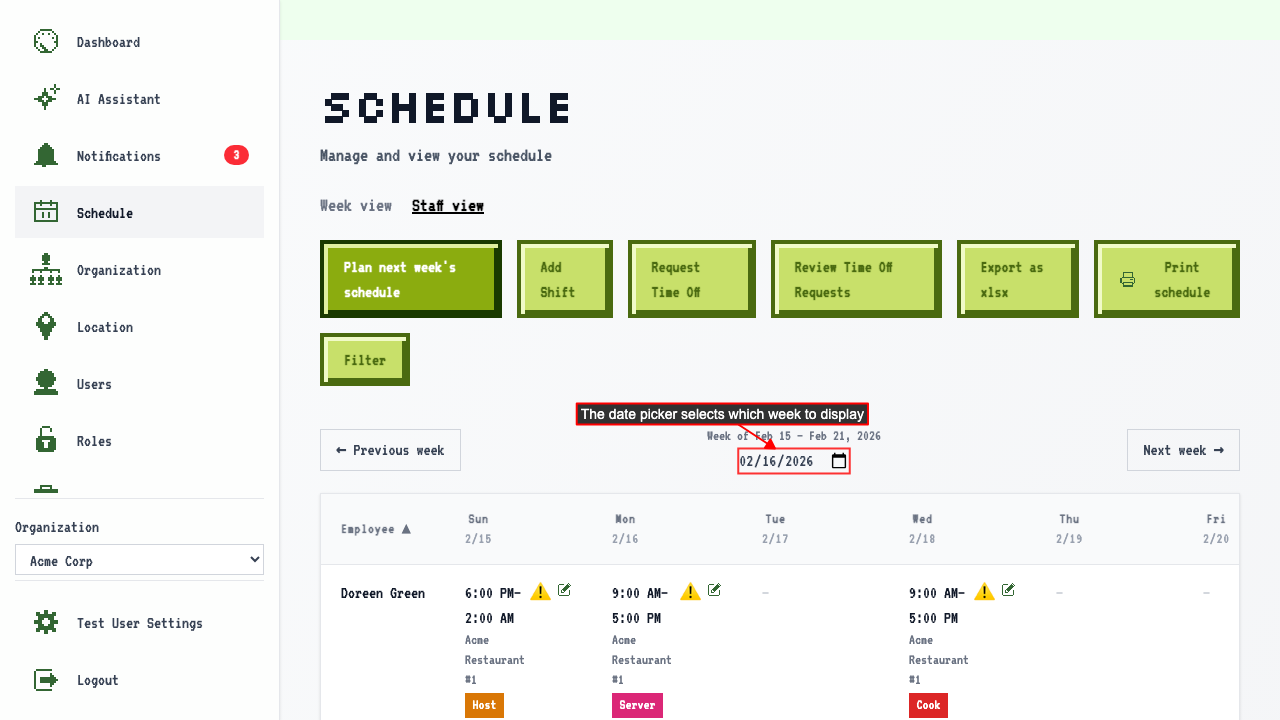
the date picker shows the anchor date and the grid shows all shifts for that week grouped by employee.
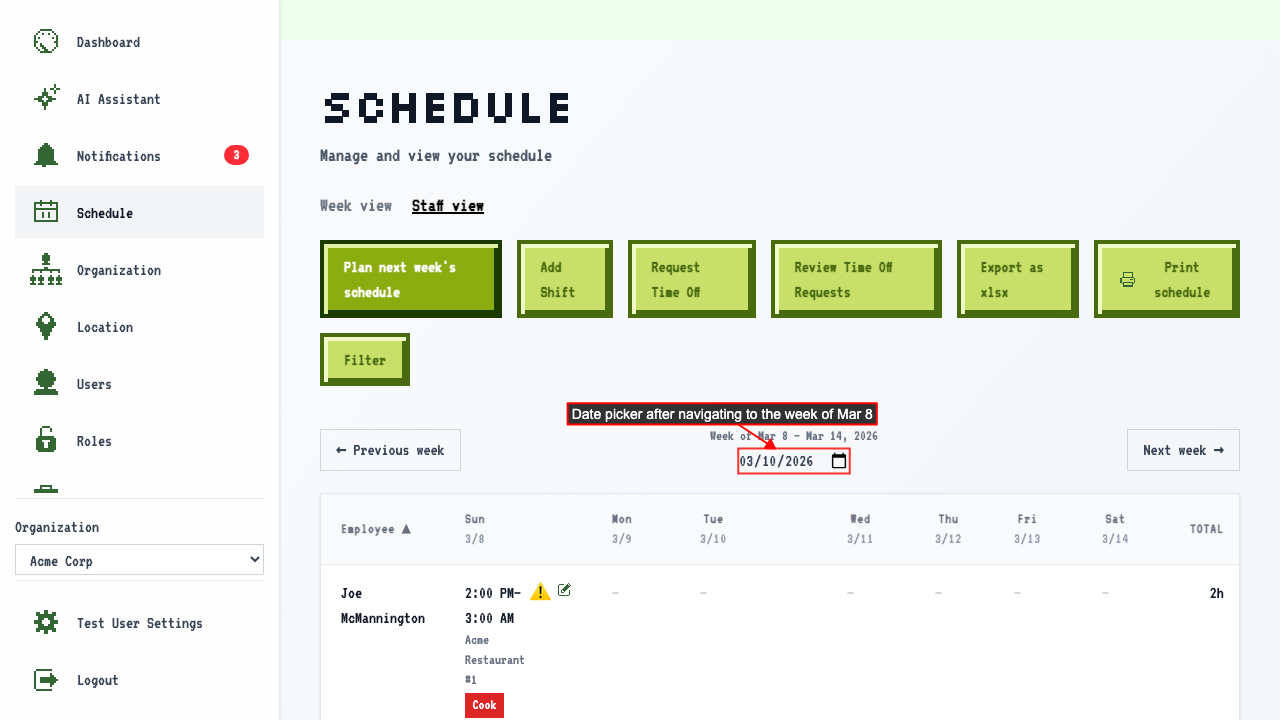
 Selecting a date in a different week navigates to that week.
Viewing shift details
Navigate to the staff view Each shift's time in the staff view links to the shift detail page. The shift detail page shows the employee, location, job, and times. The shift detail page also has a link to edit the shift, if you have the appropriate permission.
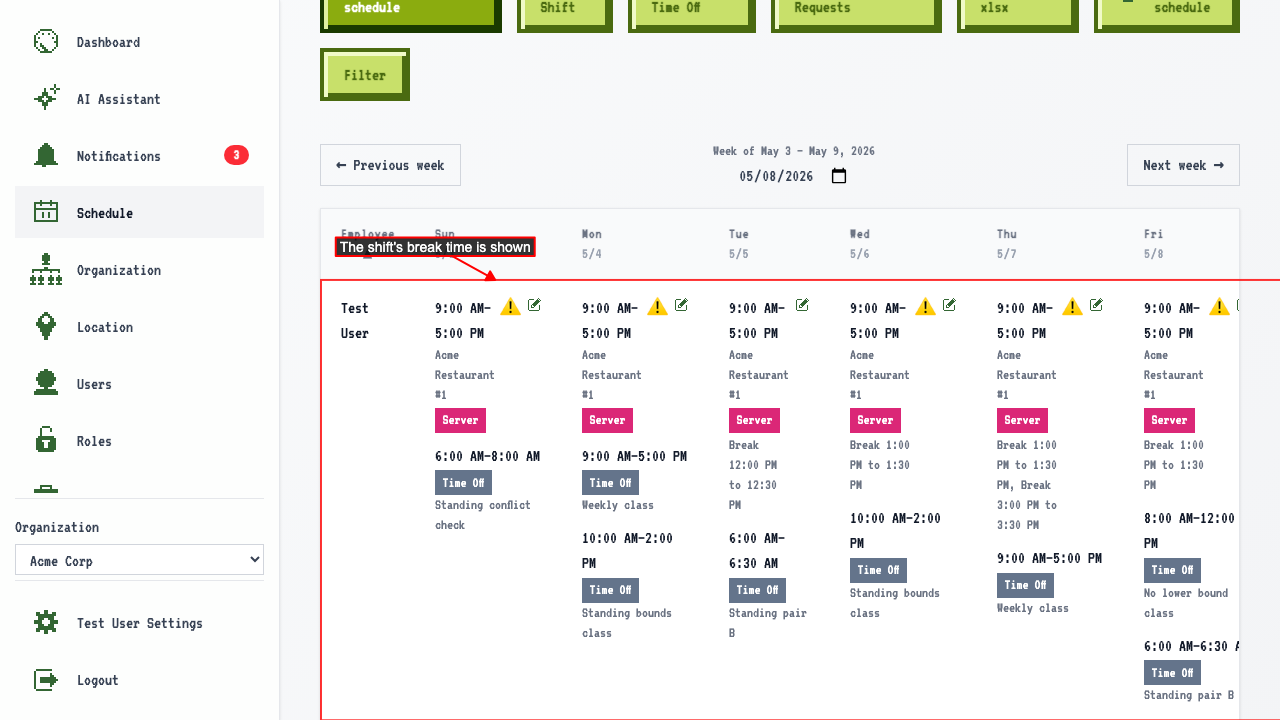
A shift's break shows in the staff view
On the staff view with a shift that has a break,
the shift shows its break time.
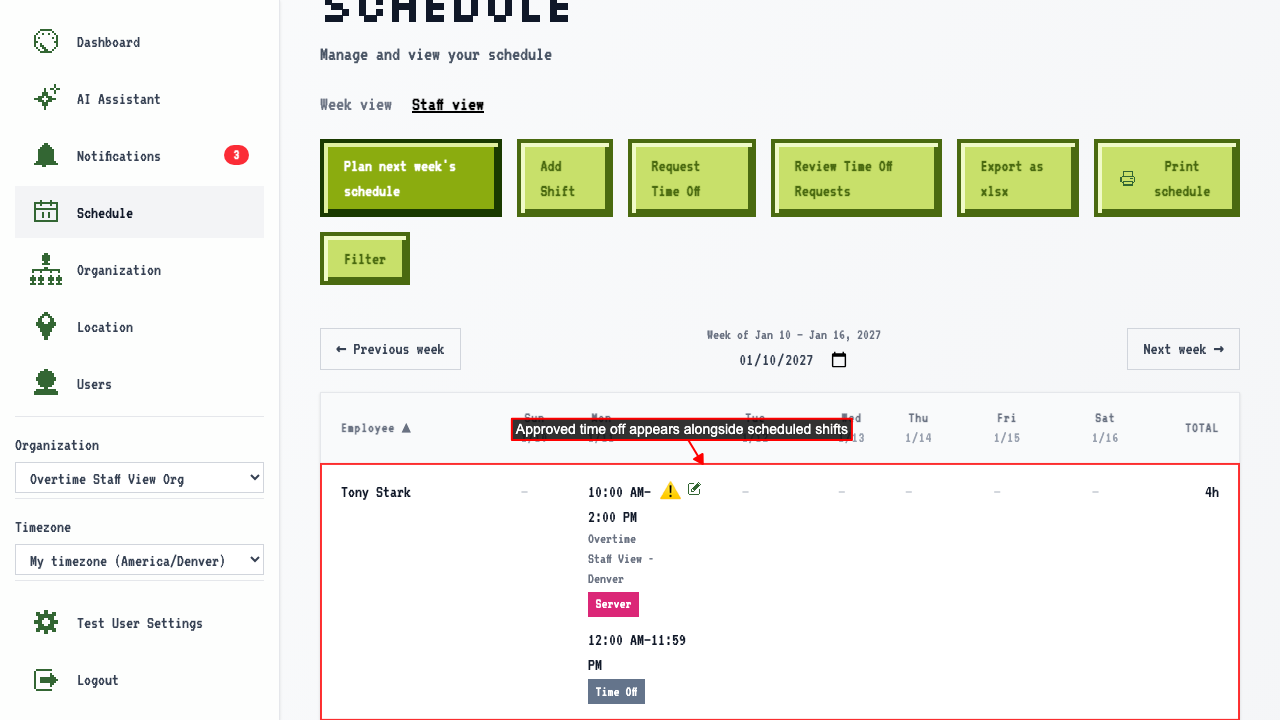
An employee's approved time off shows in the staff view
On the staff view for a week with approved time off,
the employee's row shows a Time Off entry alongside their shifts.
How to sort the staff view by employee name or by day
Navigate to the staff view. By default, the Employee column sorts the table alphabetically by last name. Click the Employee column header again to reverse the sort. Click a day column header to sort by that day's shift time instead. Click the same day column header again to reverse the sort.