Edit Organization
How to remove a user from an organization
When on the organization management page
click the organization name to navigate to its detail page.
Click the Edit Organization button to edit the users.
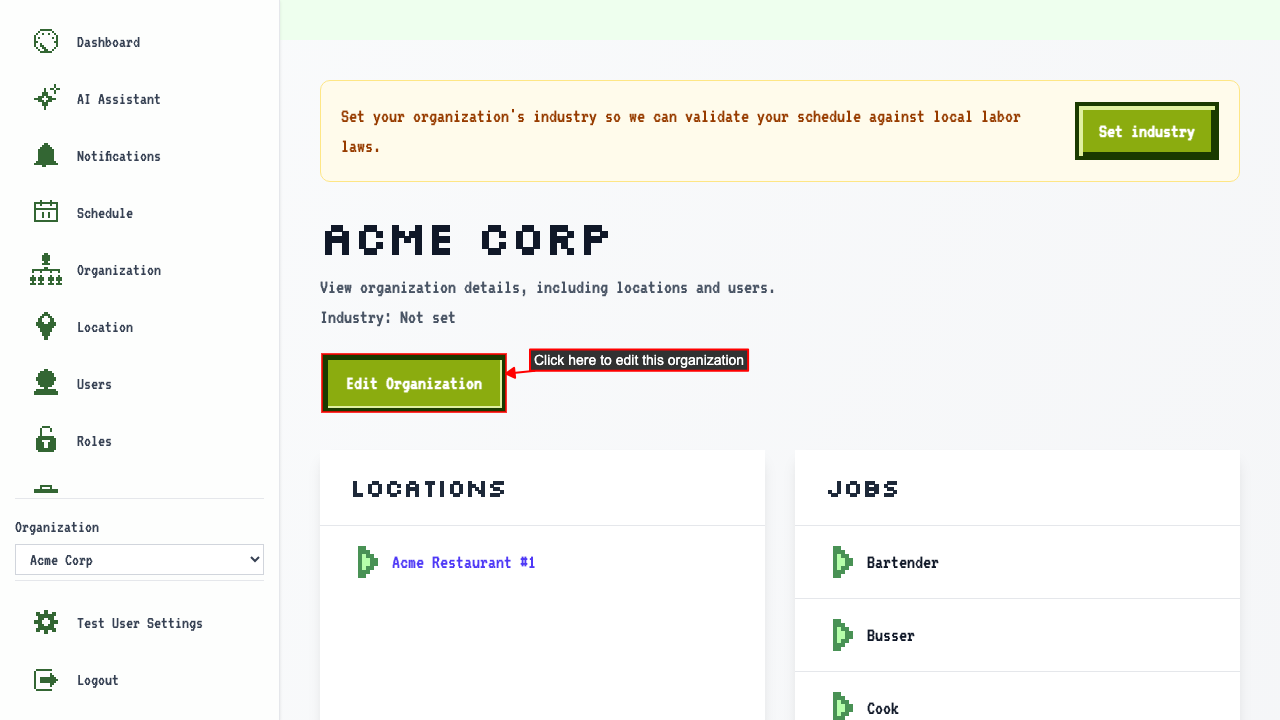 On the edit page, you can see all users in the organization.
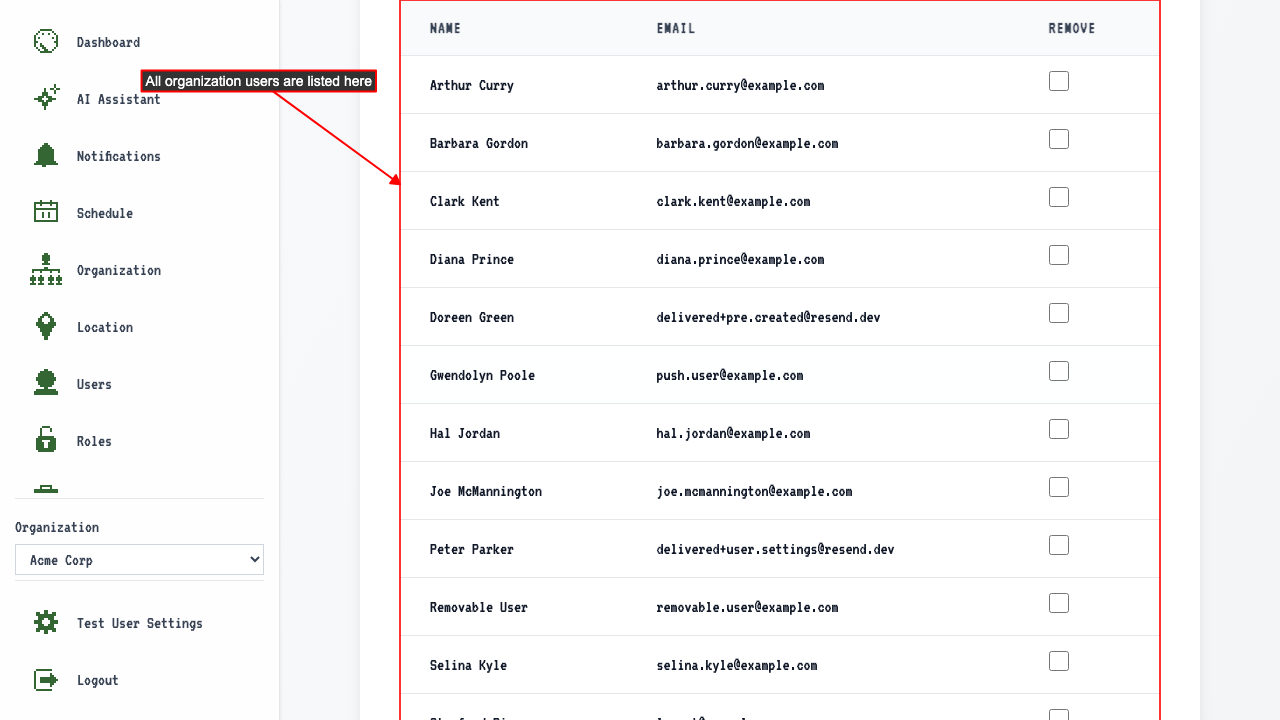 Select Users from Organization you wish to remove.
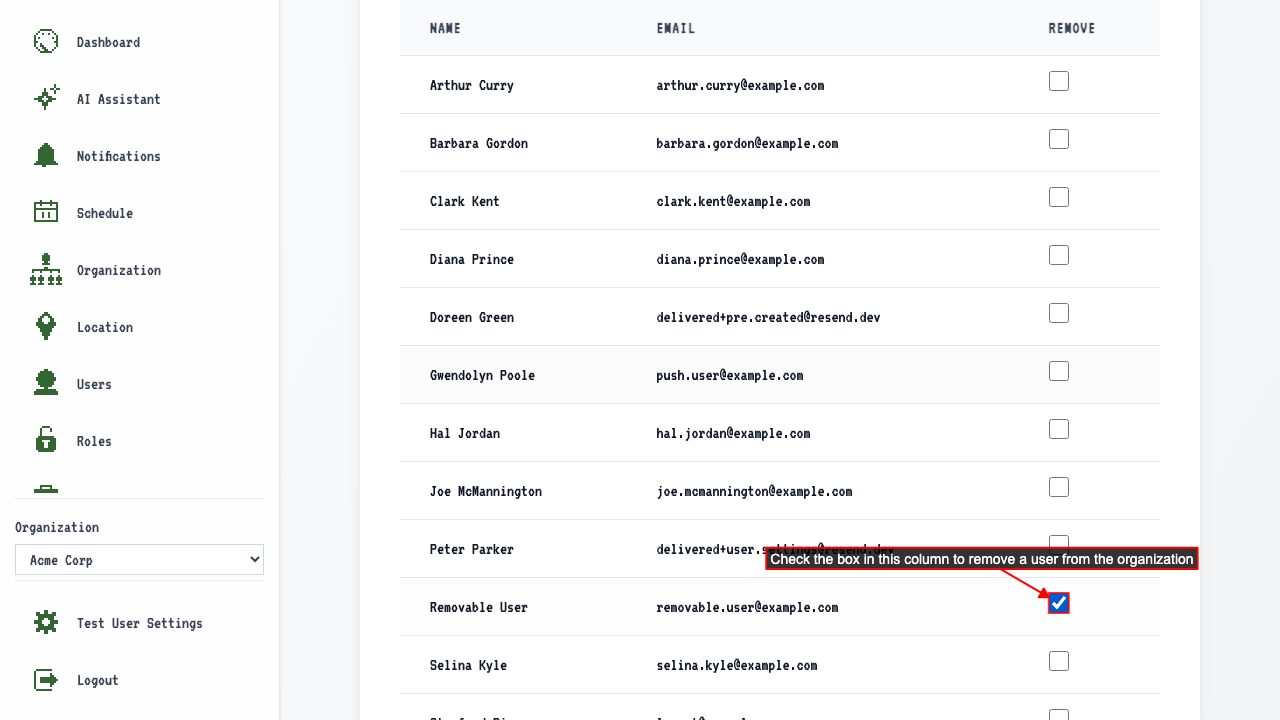 Submit changes to apply user removal.
The removed user no longer appears on the organization detail page.
If you navigate to the Schedule Page and you can see that shifts associated with that user are now unassigned.
Submit changes to apply user removal.
The removed user no longer appears on the organization detail page.
If you navigate to the Schedule Page and you can see that shifts associated with that user are now unassigned.
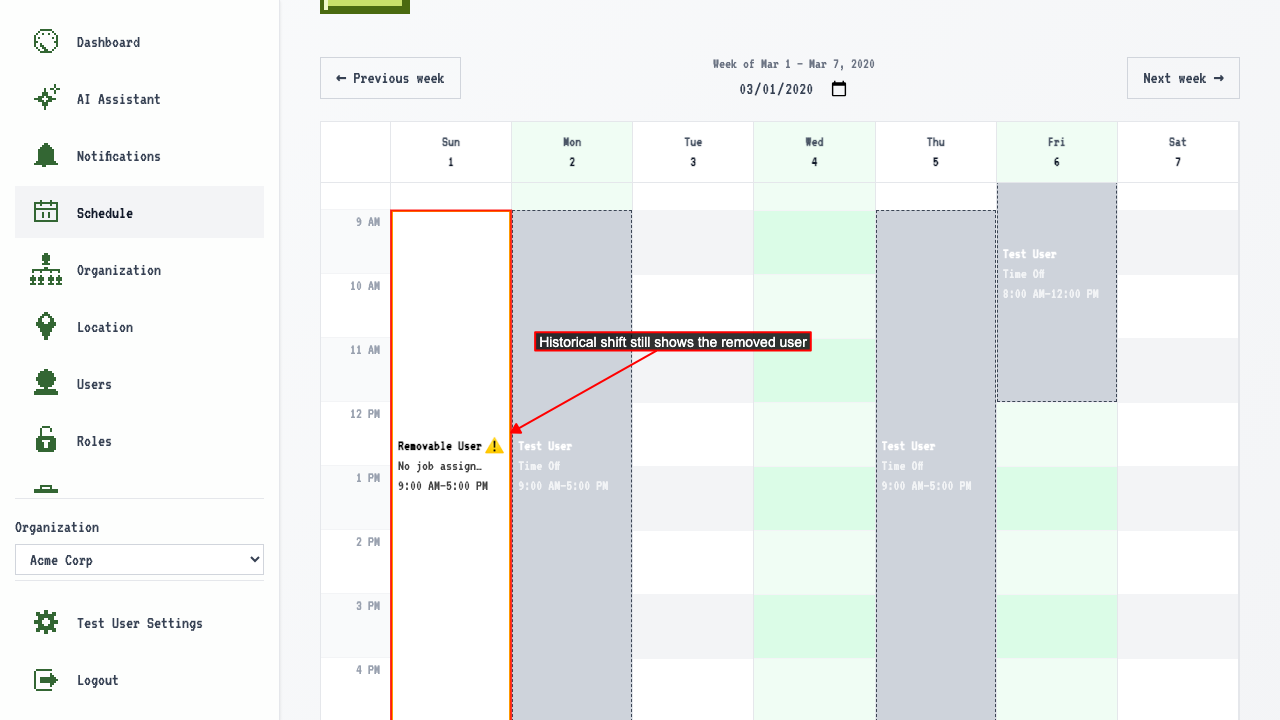
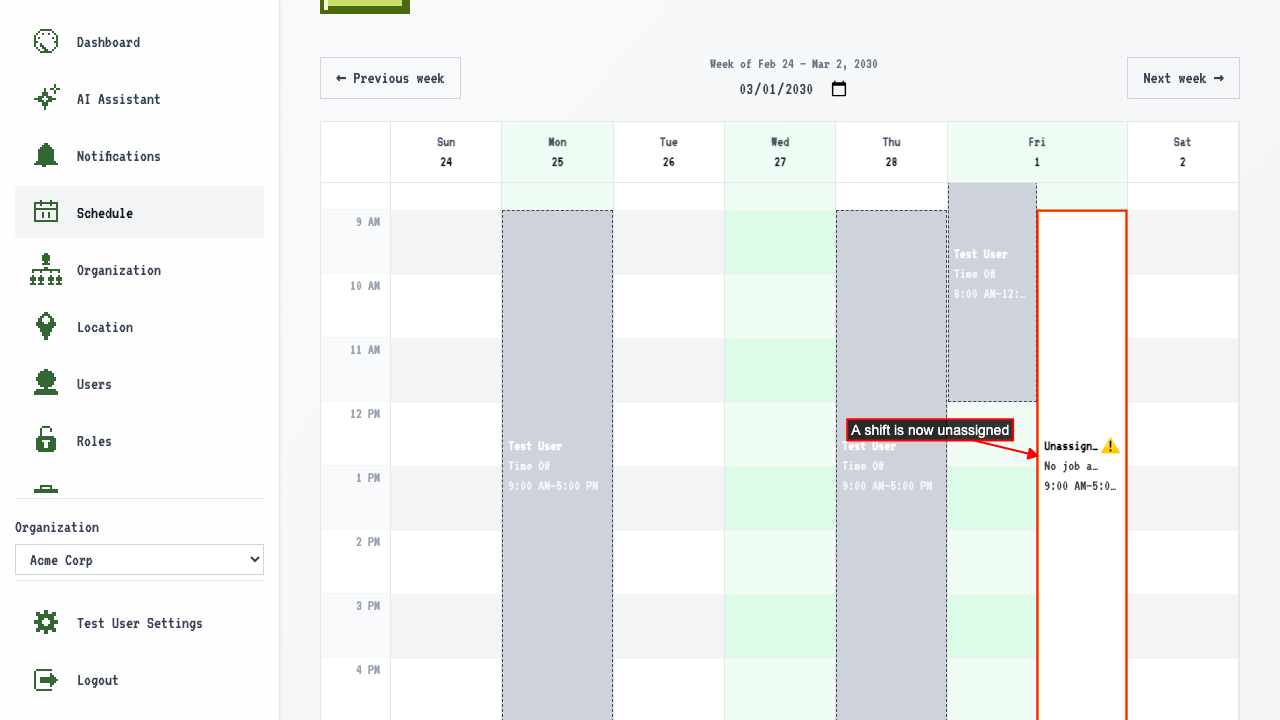 If you navigate to a previous schedule date and you can confirm historical shifts still shows the removed user.
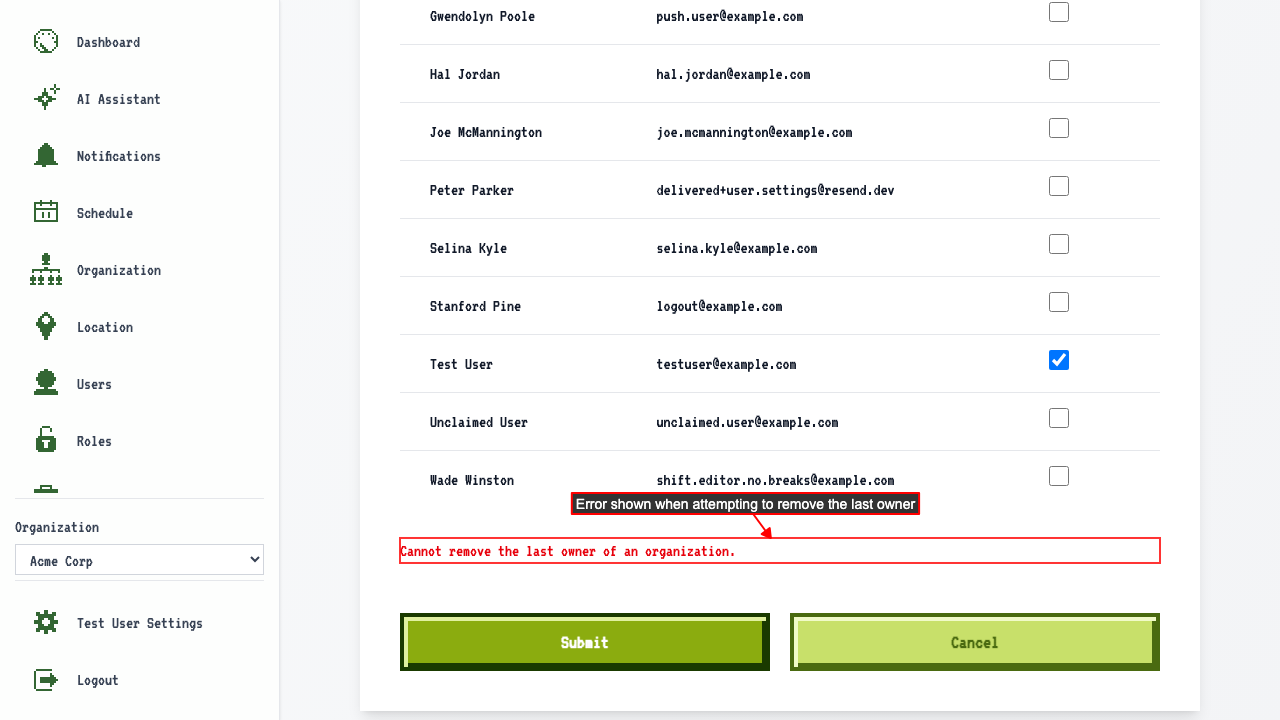
Unable to remove the last owner of an organization
On the edit organization page for an org with only one owner,
checking the owner's checkbox and submitting shows an error — the last owner cannot be removed.
How to edit an organization
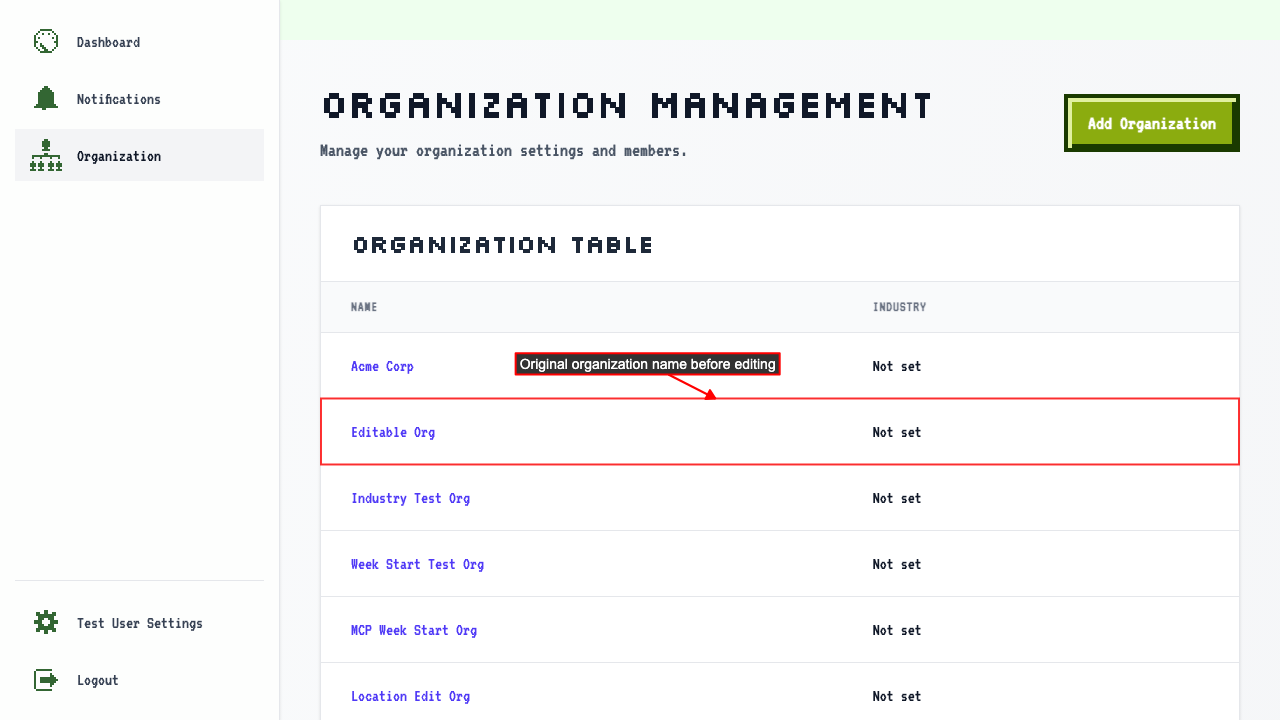
When on the organization management page
You can see the original organization name in the table before editing.
 Click the editable organization name to open its detail page.
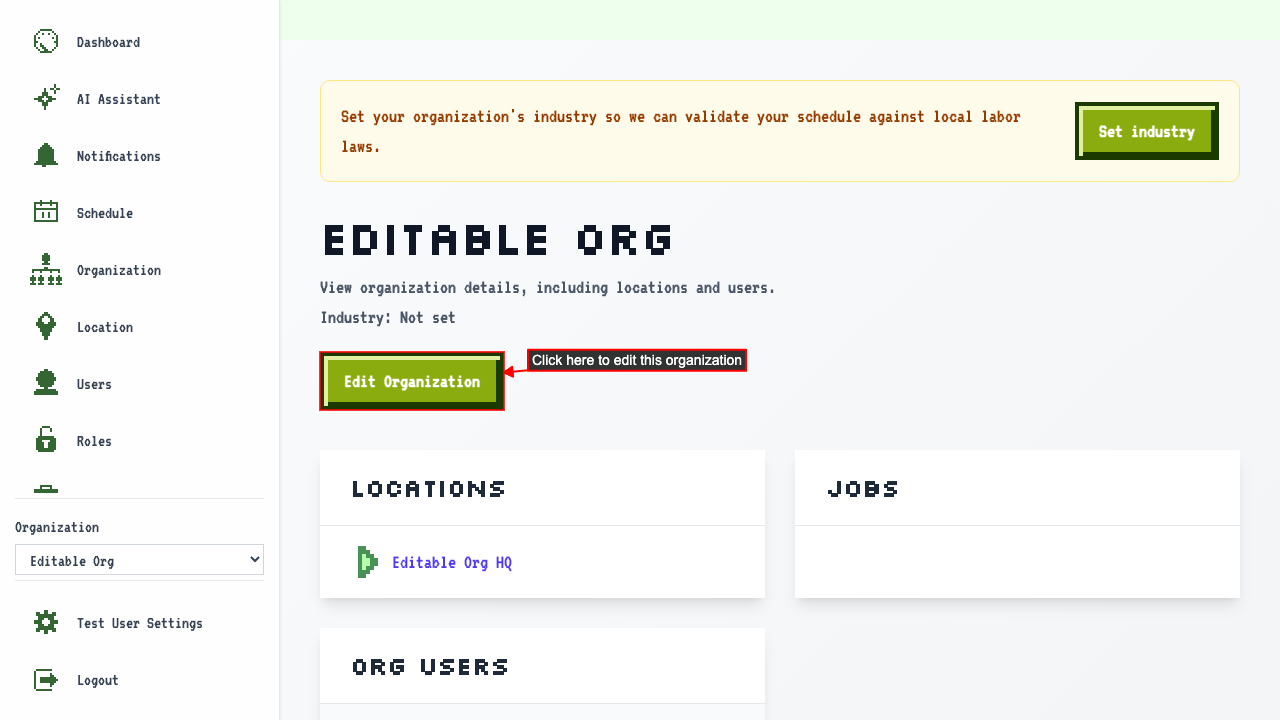
On the organization detail page, click the Edit Organization button to open the edit page.
Click the editable organization name to open its detail page.
On the organization detail page, click the Edit Organization button to open the edit page.
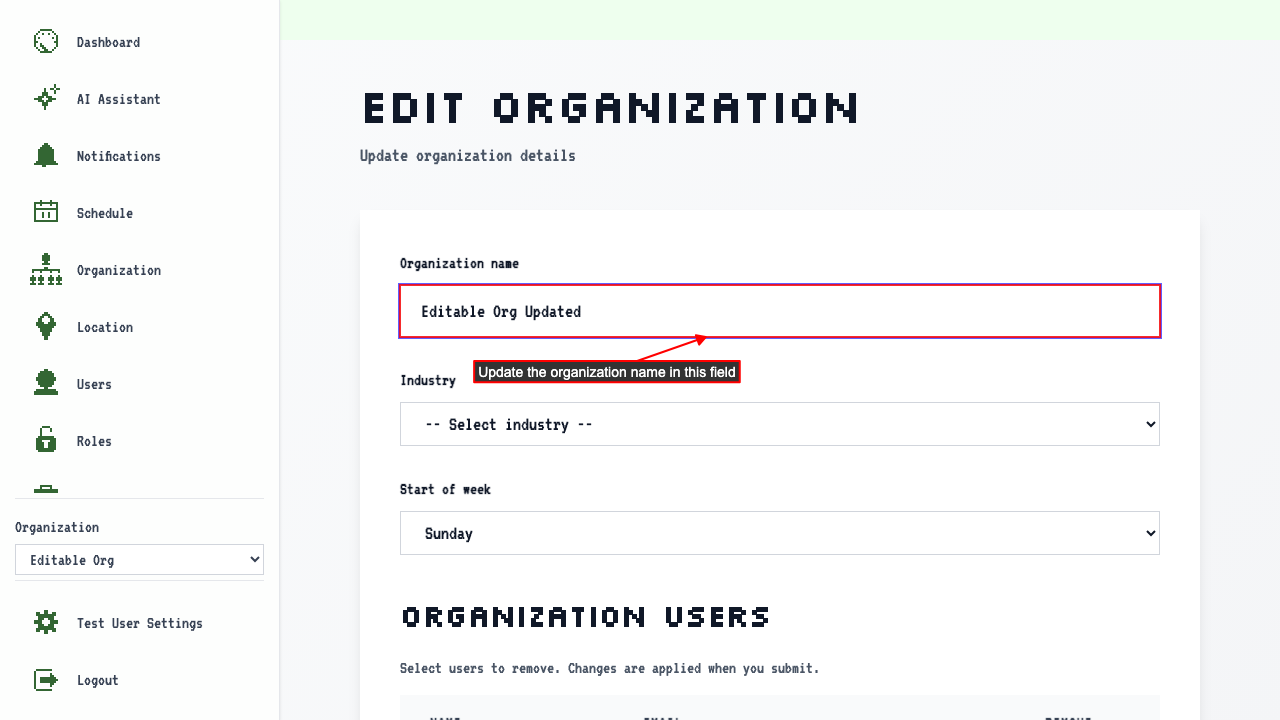
 Update the organization name and submit.
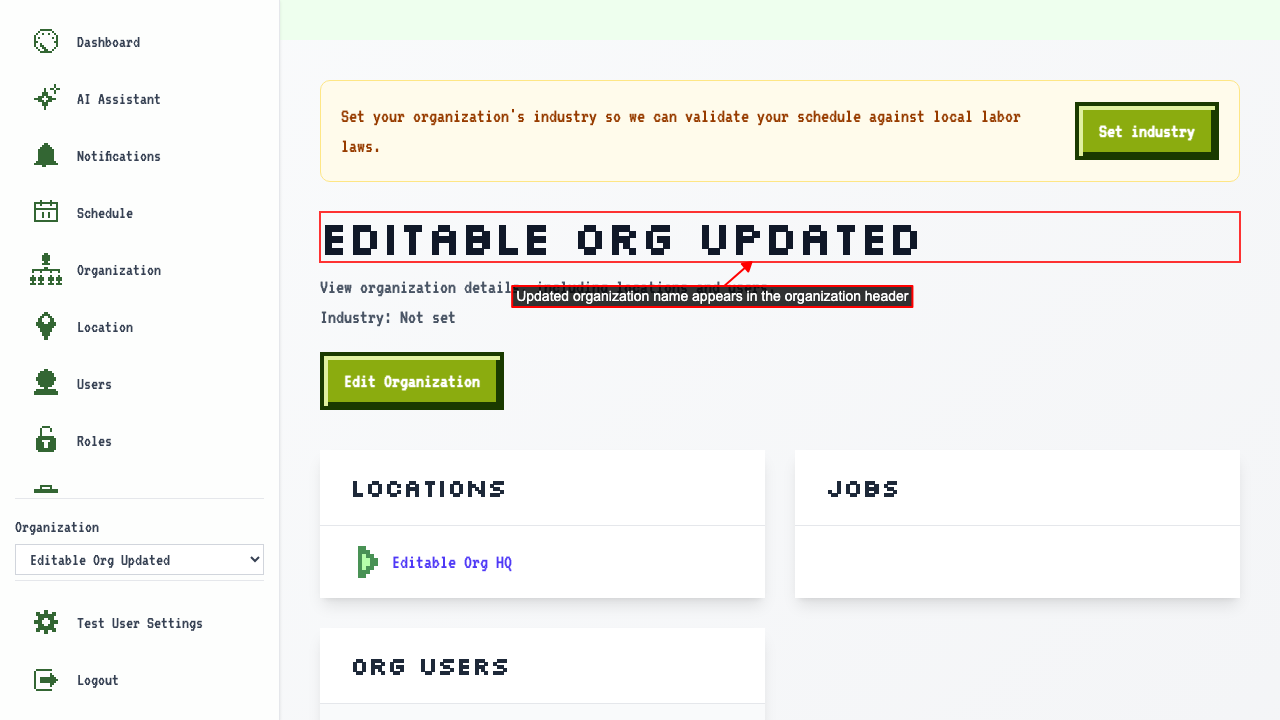
 This redirects back to organization details page where the updated name appears in the header.
How to set an organization's industry
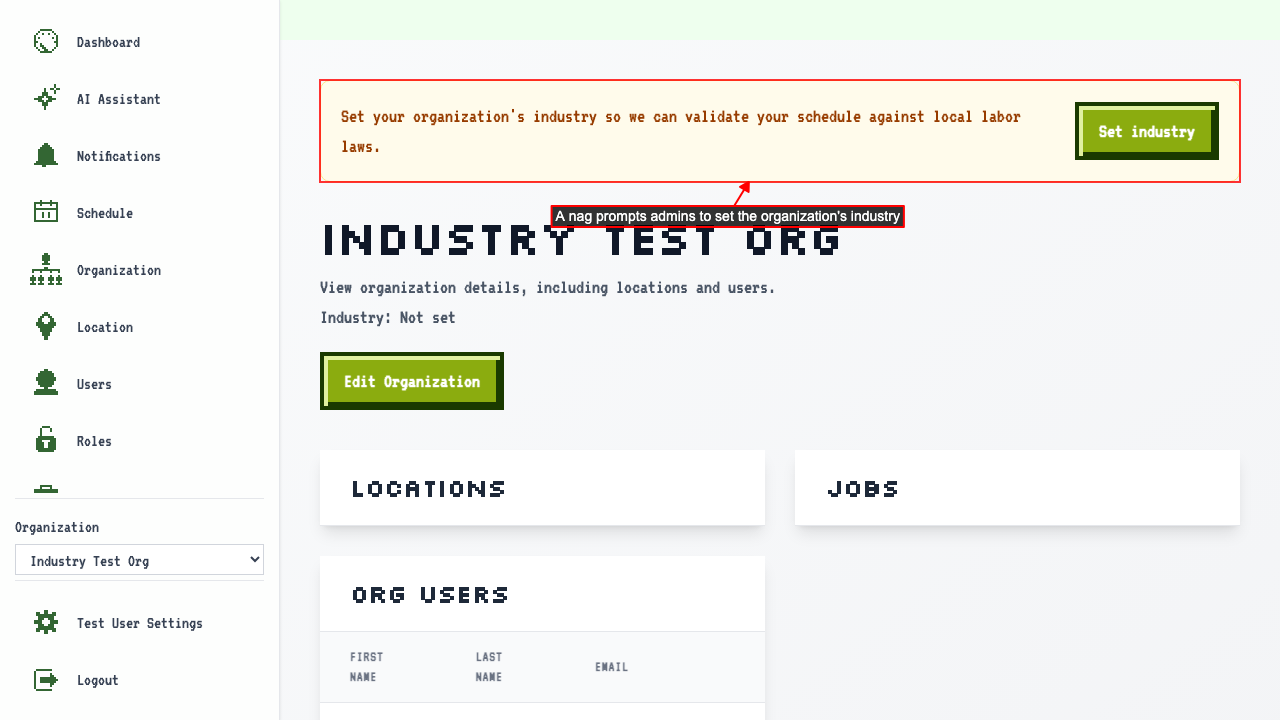
Before it's set, the organization detail page shows a message to set the industry.
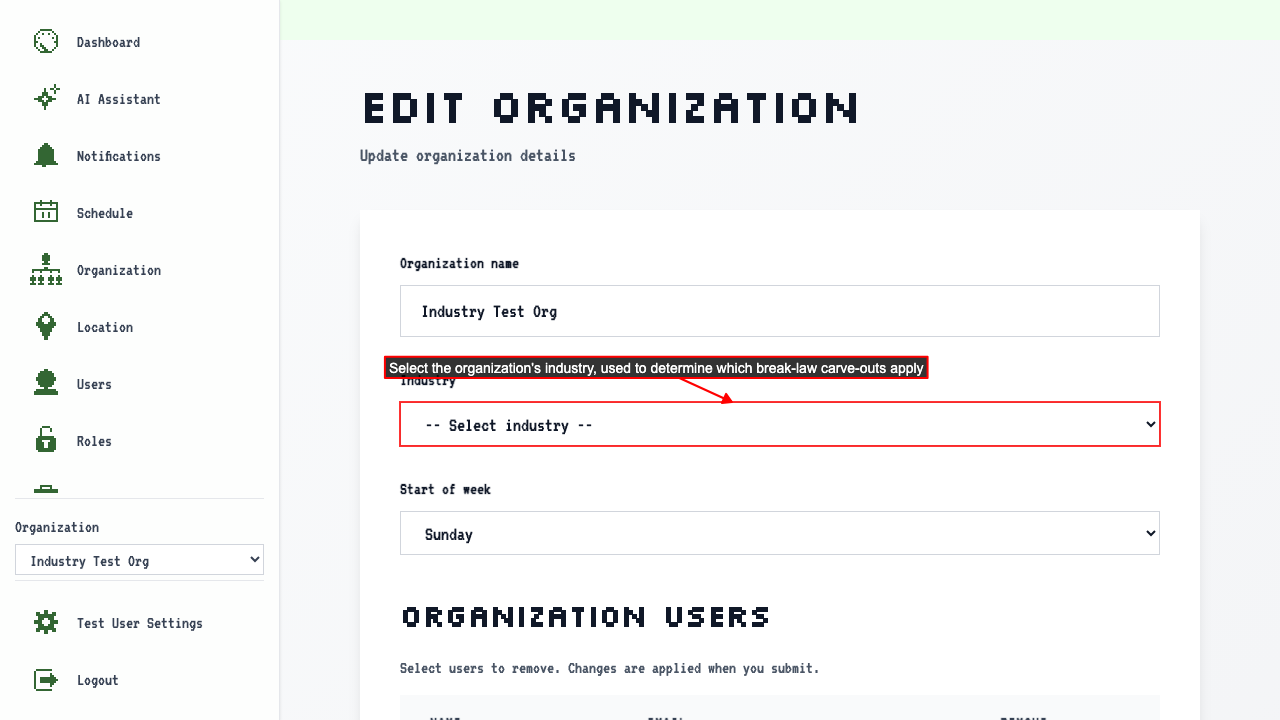
 The Industry dropdown offers a choice of industries, used to determine which break-law carve-outs apply.
- Mercantile (Retail)
- Factory / Manufacturing
- Hotel
- Restaurant
- Health Care
- Other
Select an industry
and submit the form.
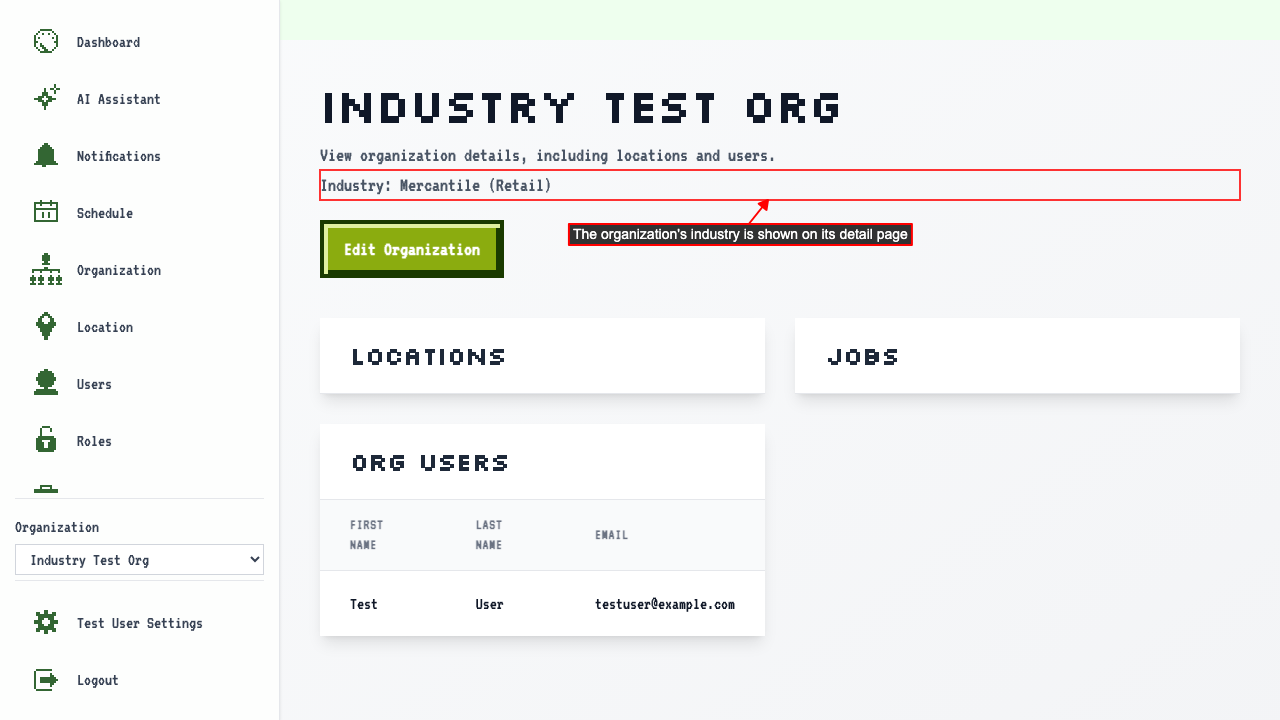
The organization detail page shows the selected industry and no longer shows the messaging nagging to set it.
How to change the start of the week
Go to the organization's edit page. The Start of week dropdown controls which day the schedule calendar's week begins on.
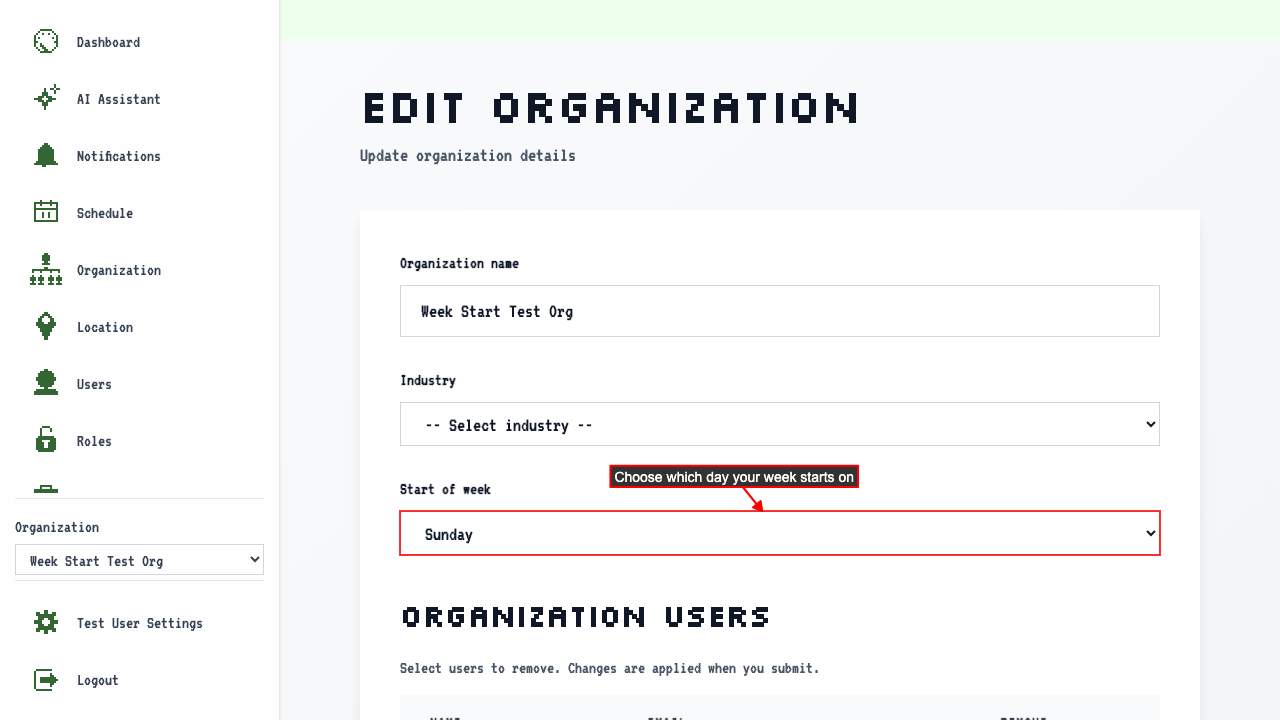 Select the day you want the schedule page to start on and submit.
For this example the schedule view's first column now starts on Monday instead of Sunday.
Select the day you want the schedule page to start on and submit.
For this example the schedule view's first column now starts on Monday instead of Sunday.
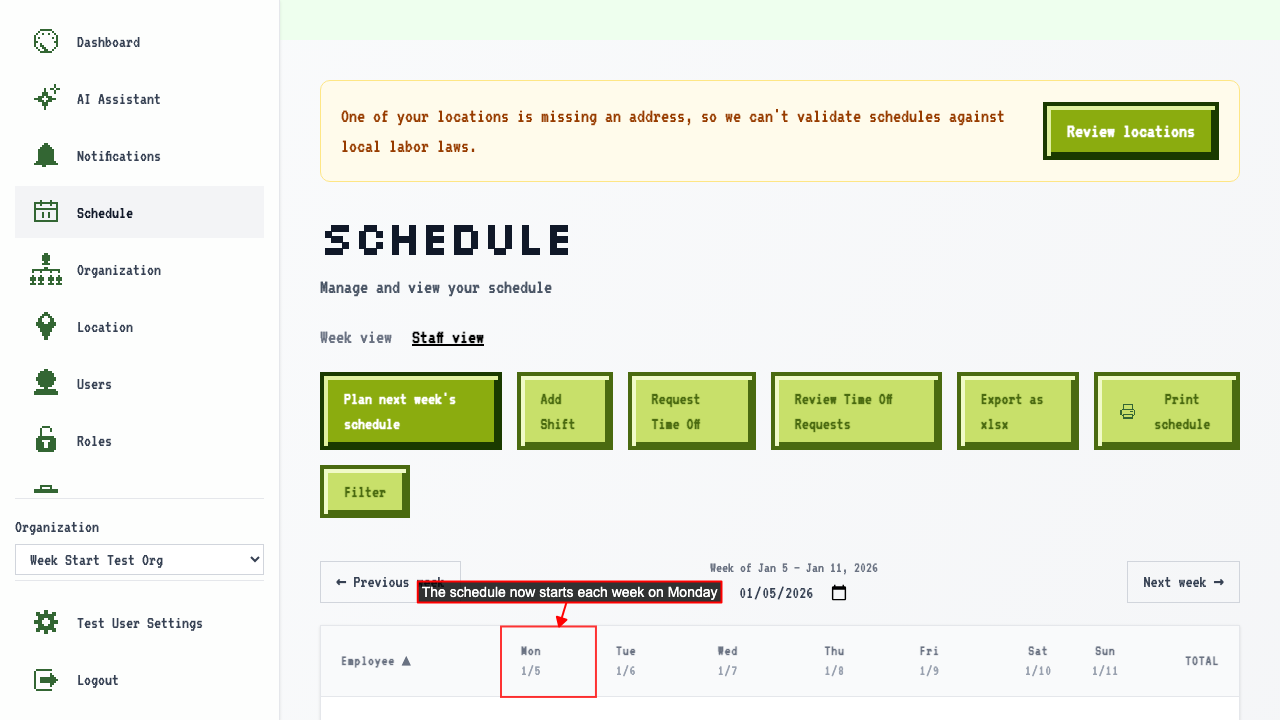 The week calendar view (the other schedule layout) also starts on Monday.
Planning next week's schedule also starts the week on Monday.
The week calendar view (the other schedule layout) also starts on Monday.
Planning next week's schedule also starts the week on Monday.