Break Validation
A break outside the shift's time range shows an error
On the edit shift page
Click Add Break, then enter a break start time before the shift starts.
An error is shown live, before ever saving.
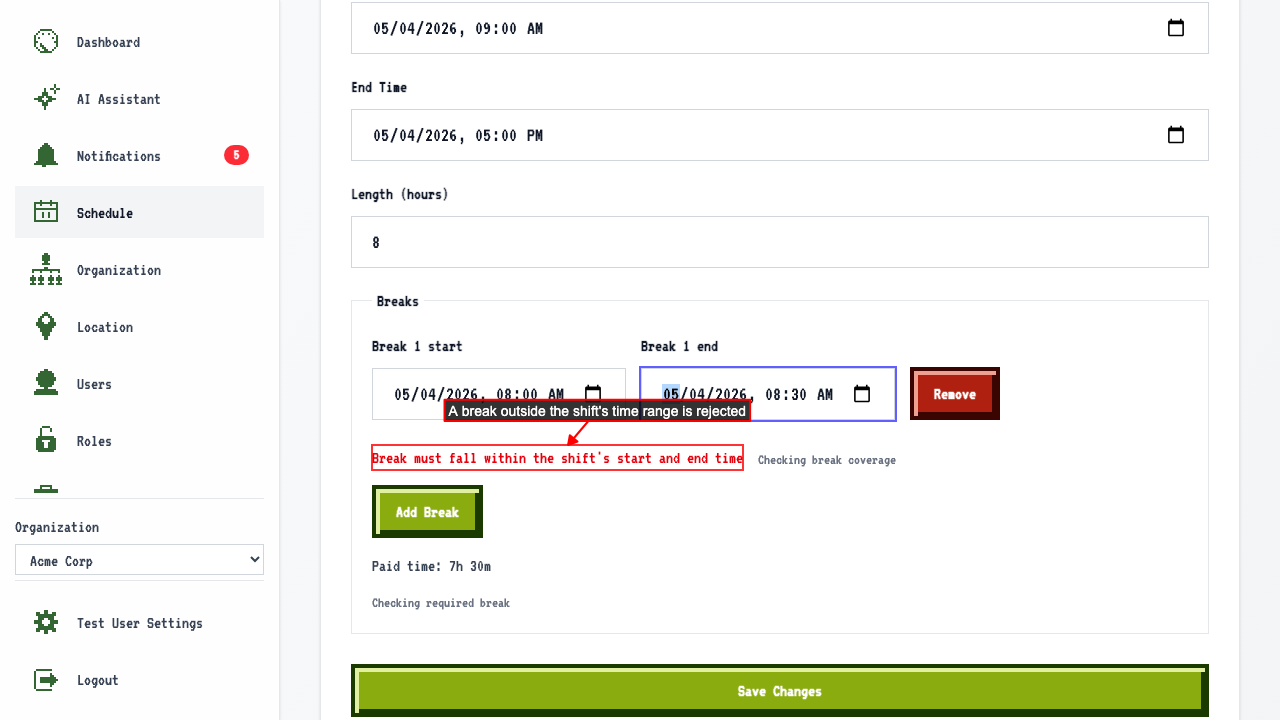 Saving anyway is rejected server-side too, and nothing is persisted.
A break that overlaps an existing break shows an error
On the edit shift page with an existing break
Add a second break that overlaps the existing 12:00-12:30 break.
An error is shown live, before ever saving.
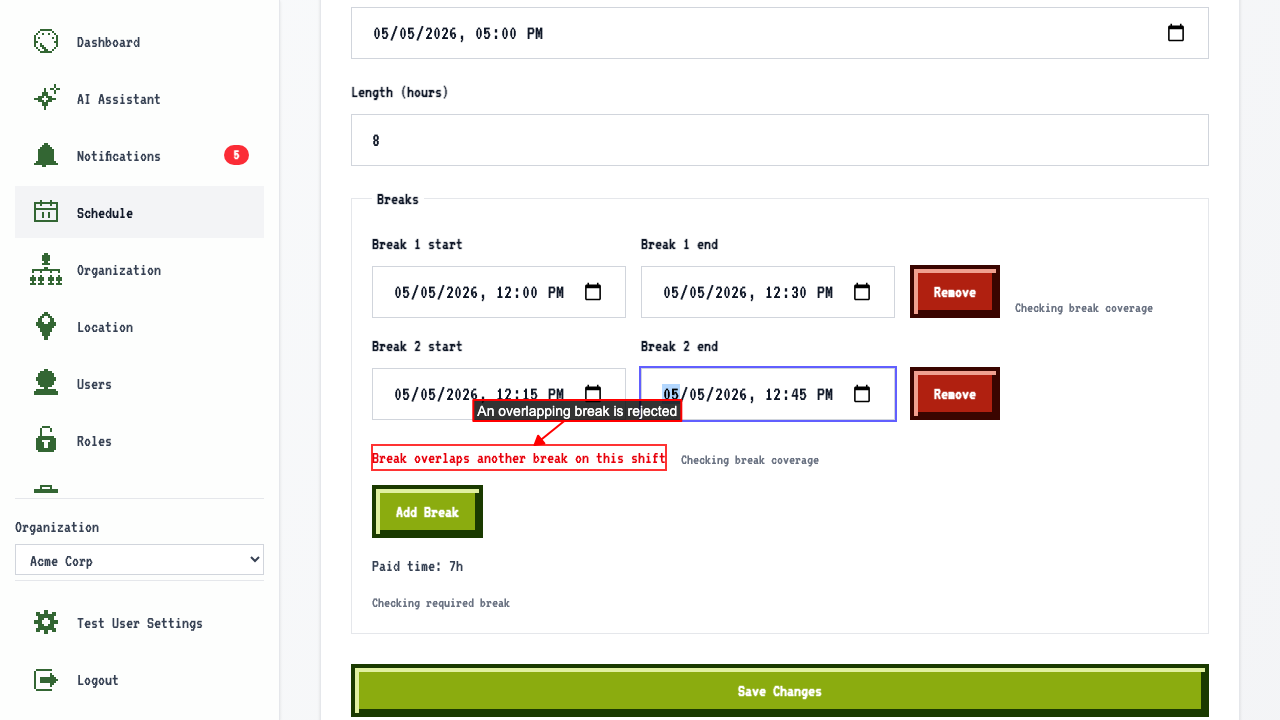 Saving anyway is rejected server-side too, and nothing is persisted.
Editing a break outside the shift's time range shows an error
On the edit shift page with an existing break Change the break's start time to before the shift starts. An error is shown live, before ever saving. Saving anyway is rejected server-side, and the break is unchanged.
Editing a break to overlap another break shows an error
On the edit shift page with two existing breaks Change the first break's time to overlap the second break (3:00-3:30 PM). An error is shown live, before ever saving. Saving anyway is rejected server-side, and the break is unchanged.