Push Notifications
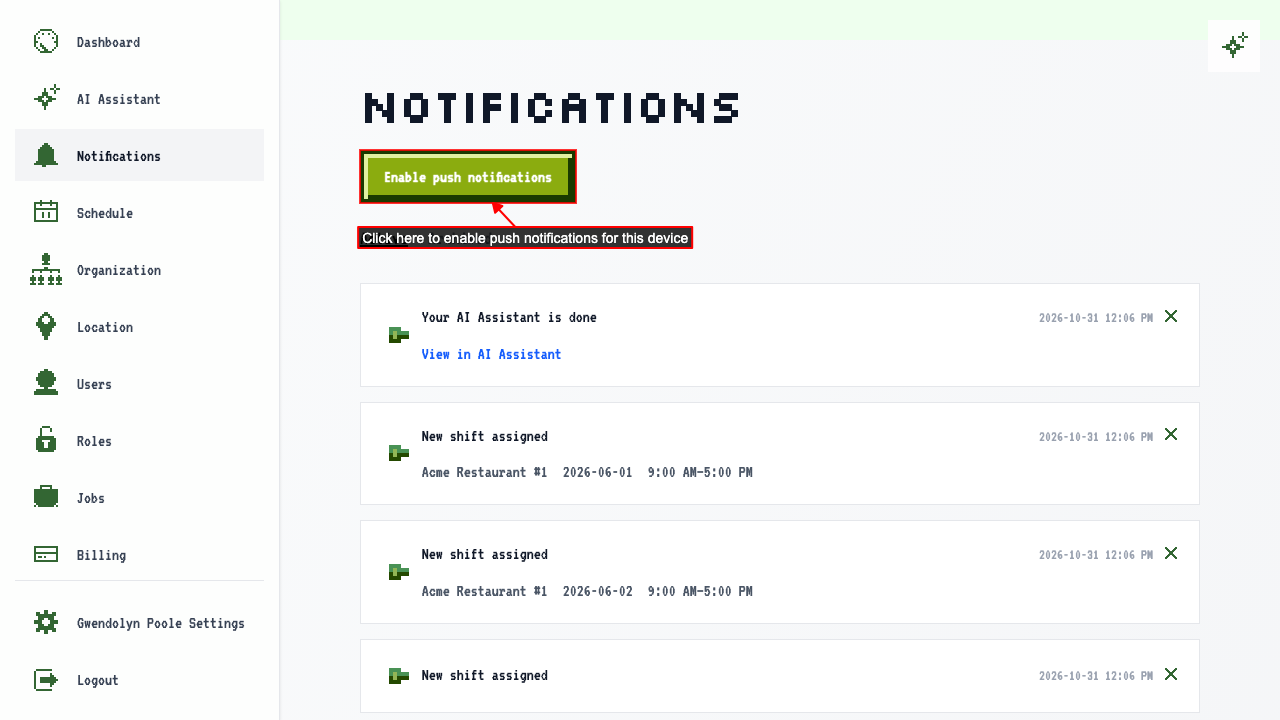
How to turn on push notifications
On the Notifications page, click Enable push notifications.
How to turn push notifications off
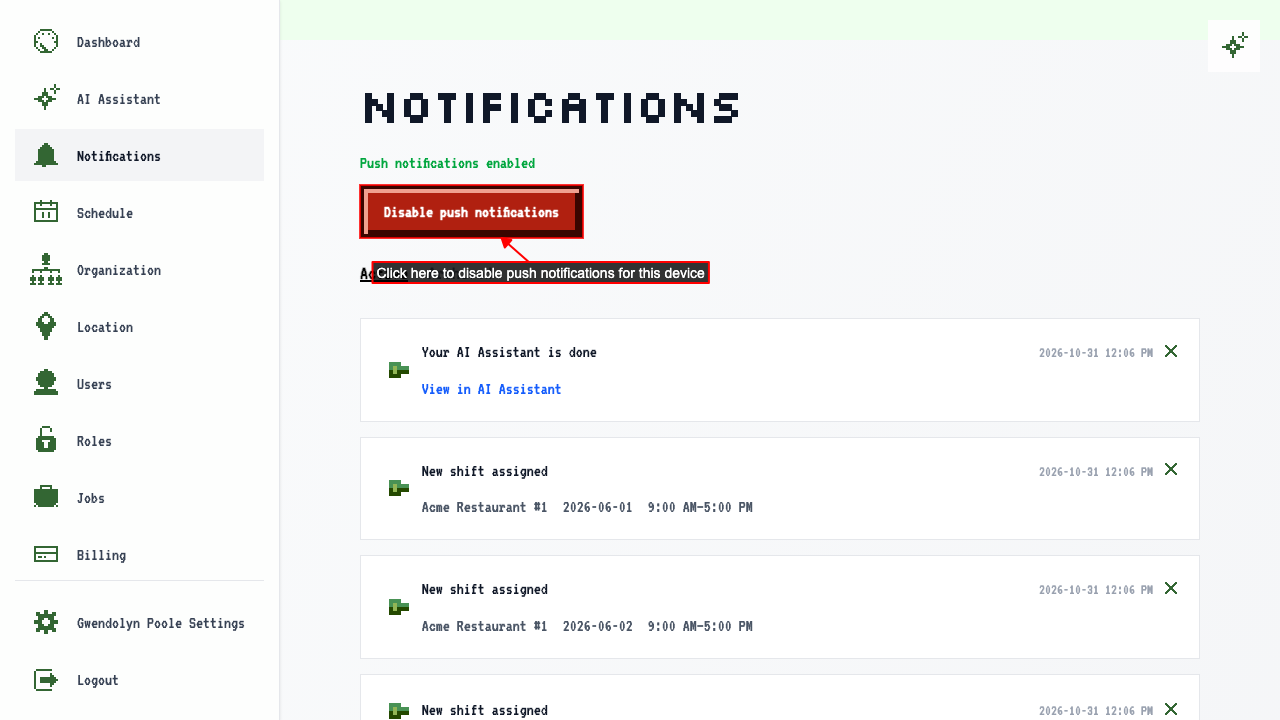
With push notifications already turned on, open the notification center.
You can turn them off from here.
Being notified when the AI Assistant finishes
Ask the AI Assistant to do something, then leave the page before it replies.
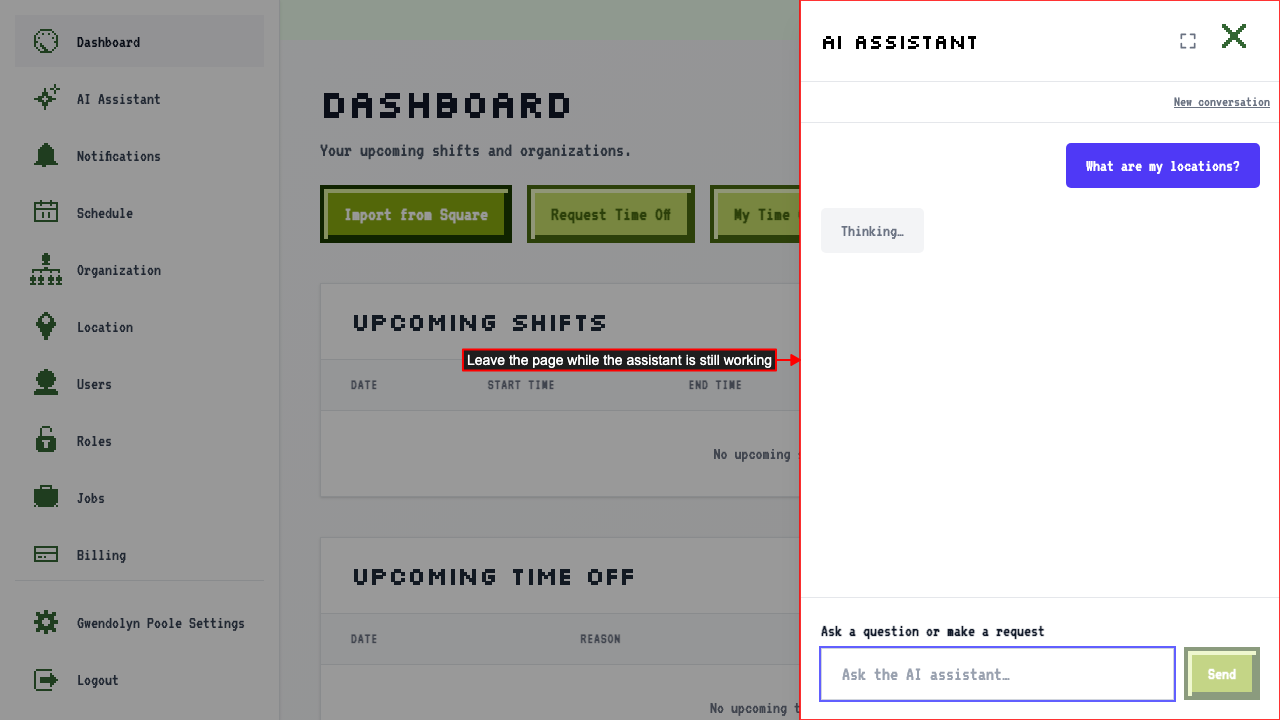 It keeps working and sends you a push notification when it finishes.
It also shows up in your notification center.
Tapping the notification takes you straight back to the AI Assistant, where your conversation — including its response — is waiting for you.
This only happens if you're not already watching the response come in; if you stay on the page, there's no need for a notification.
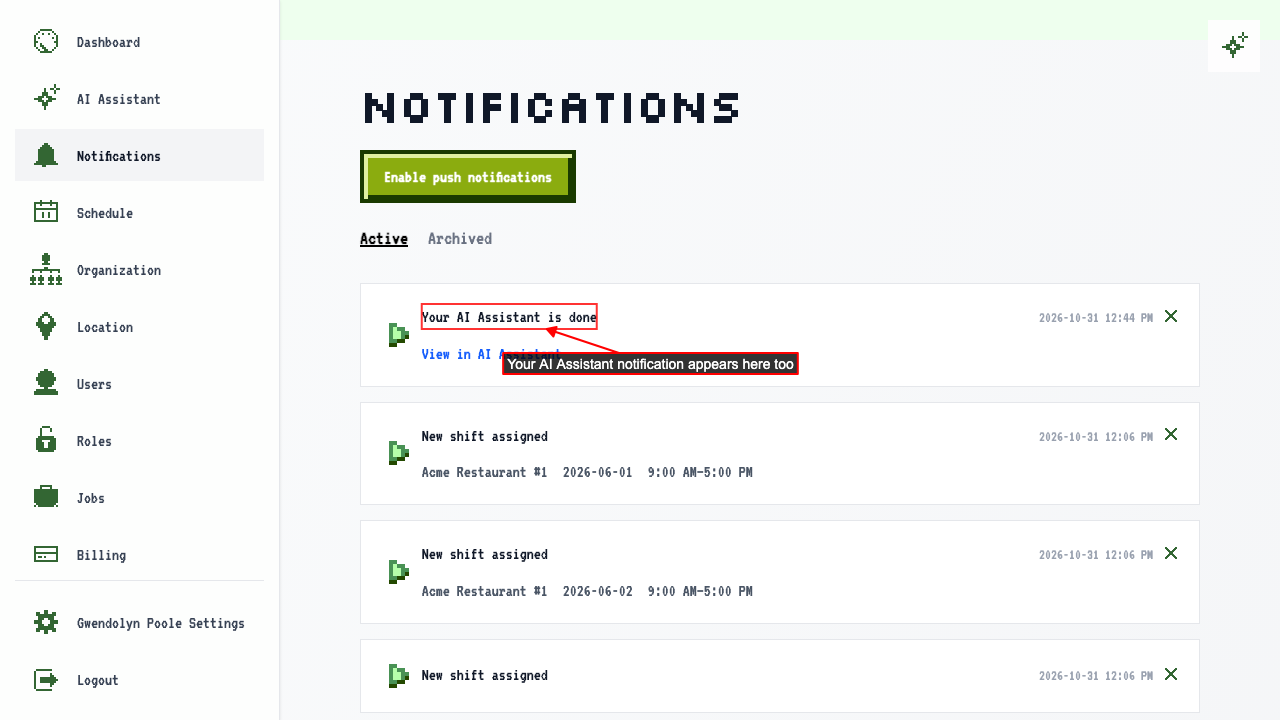 Click 'View in AI Assistant' and the reply is waiting in your conversation.