Updating Your Details
How to change your first name and last name
Start on your settings page.
Fill in your new first name and last name, then submit.
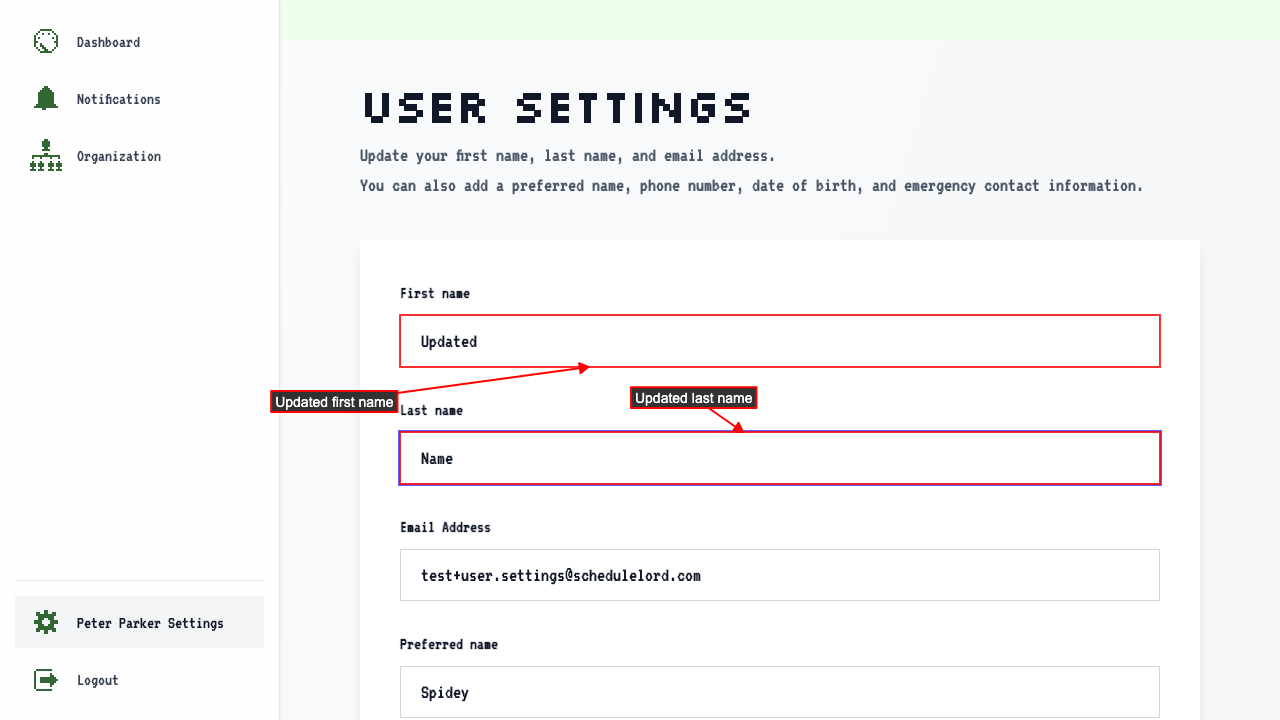 Your changes are saved.
How to change your email address
Start on your settings page.
Fill in your new email address, then submit.
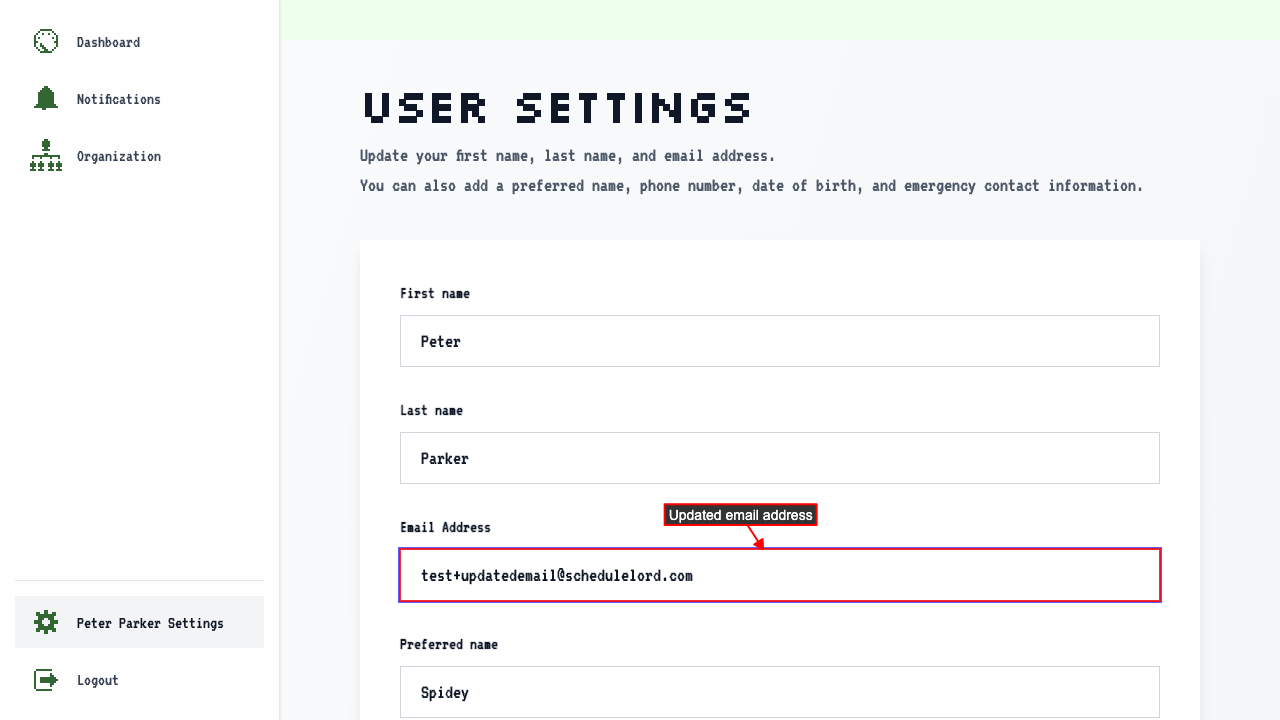 Your email address stays the same until you confirm the new one.
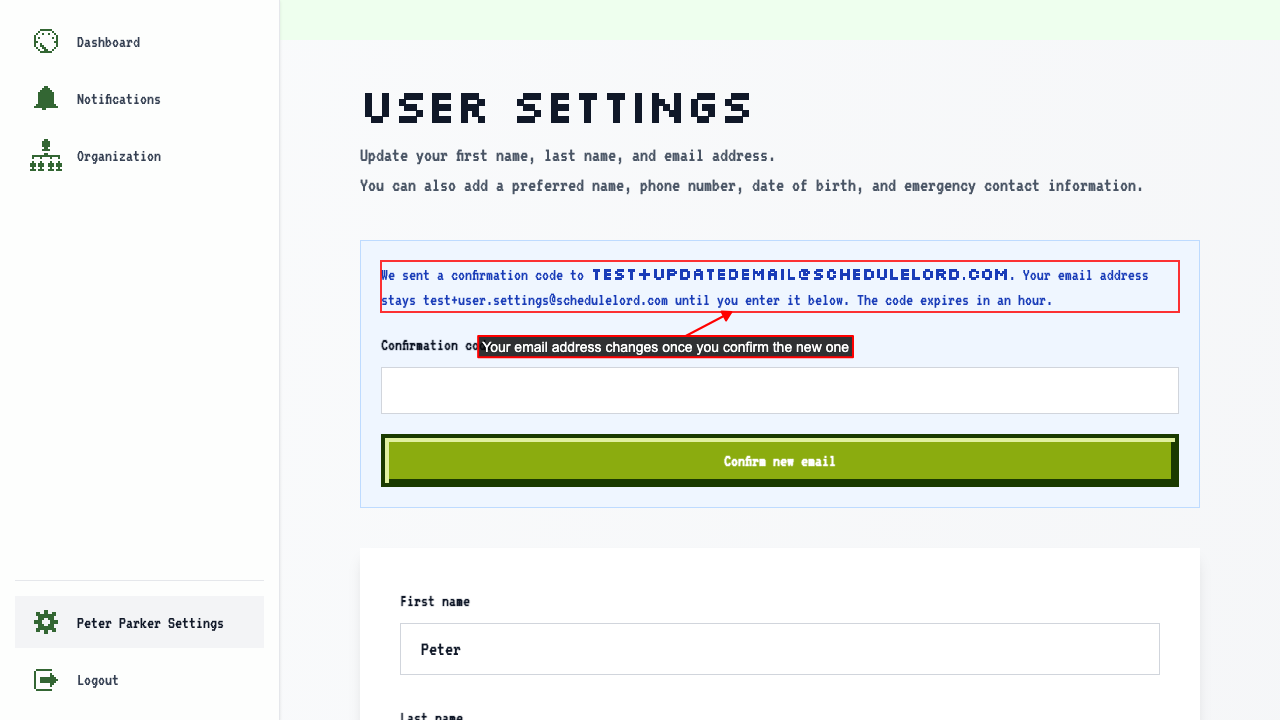 We send a confirmation code to your new email address.
We also let your old email address know that the change was requested.
Enter the code from the email under Confirmation code, then click Confirm new email.
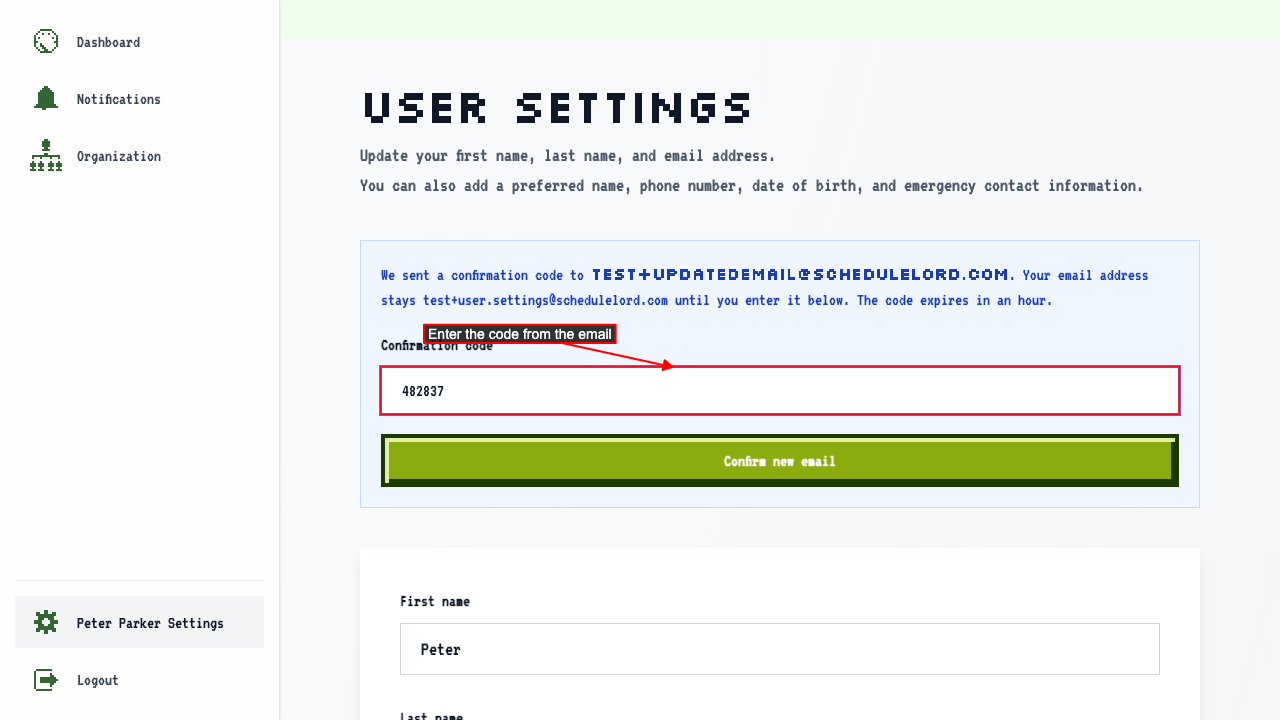 Your new email address is saved.
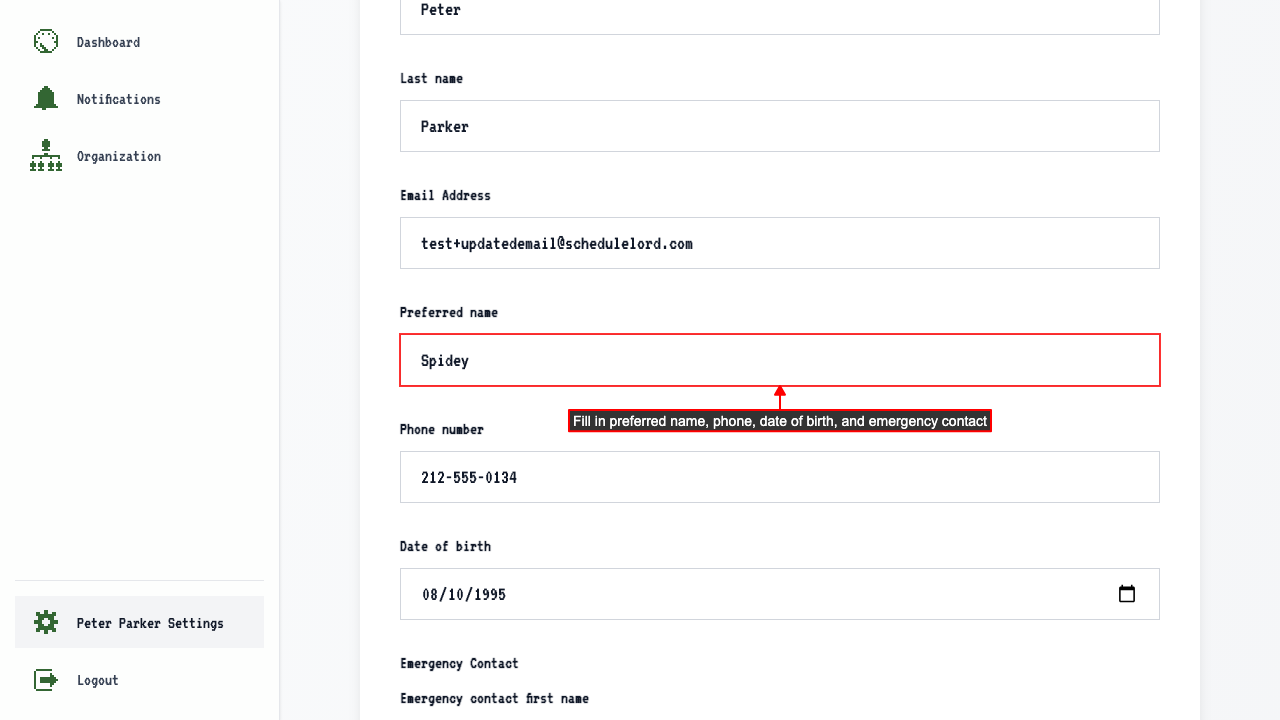
How to update your preferred name, phone, date of birth, and emergency contact
Start on your settings page.
Fill in a preferred name, phone number, date of birth, and emergency contact.
 A message confirms your changes were saved.
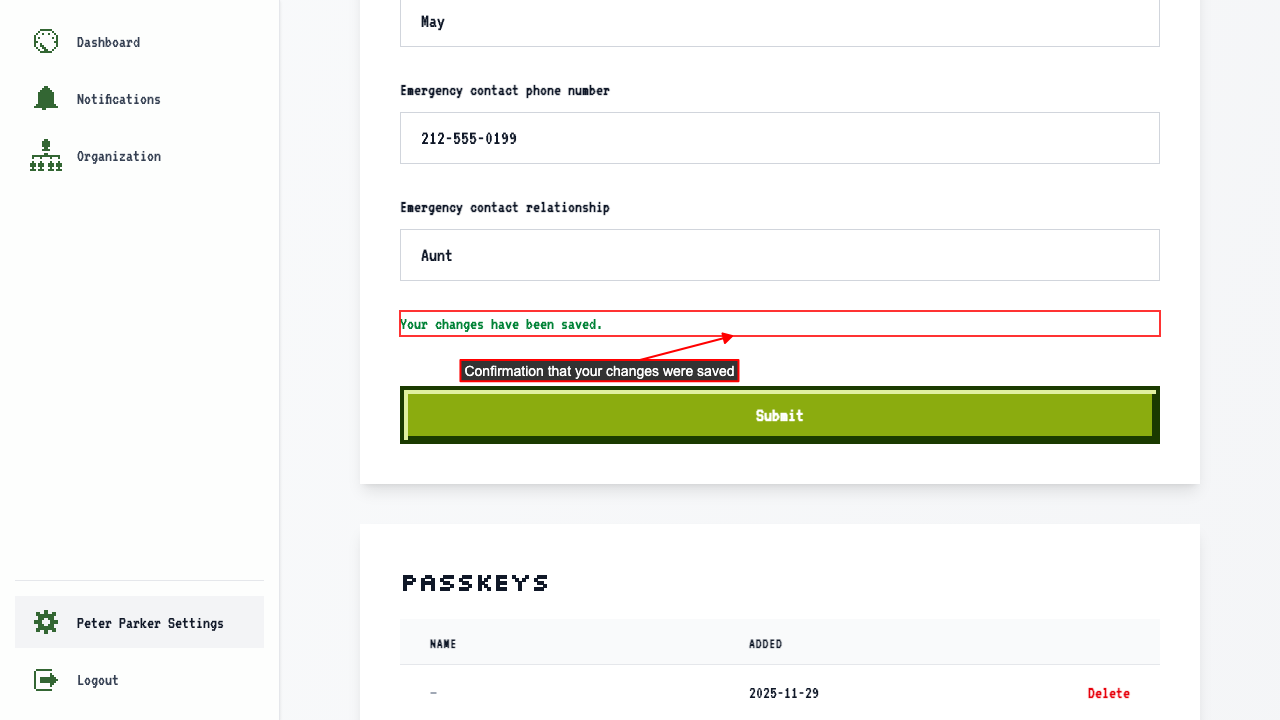 The changes are saved and shown when you return to the page.