Break Errors
A break has to fall inside the shift
Open the shift you want to add a break to.
Click Add Break, then enter a break start time before the shift starts.
An error is shown live, before ever saving.
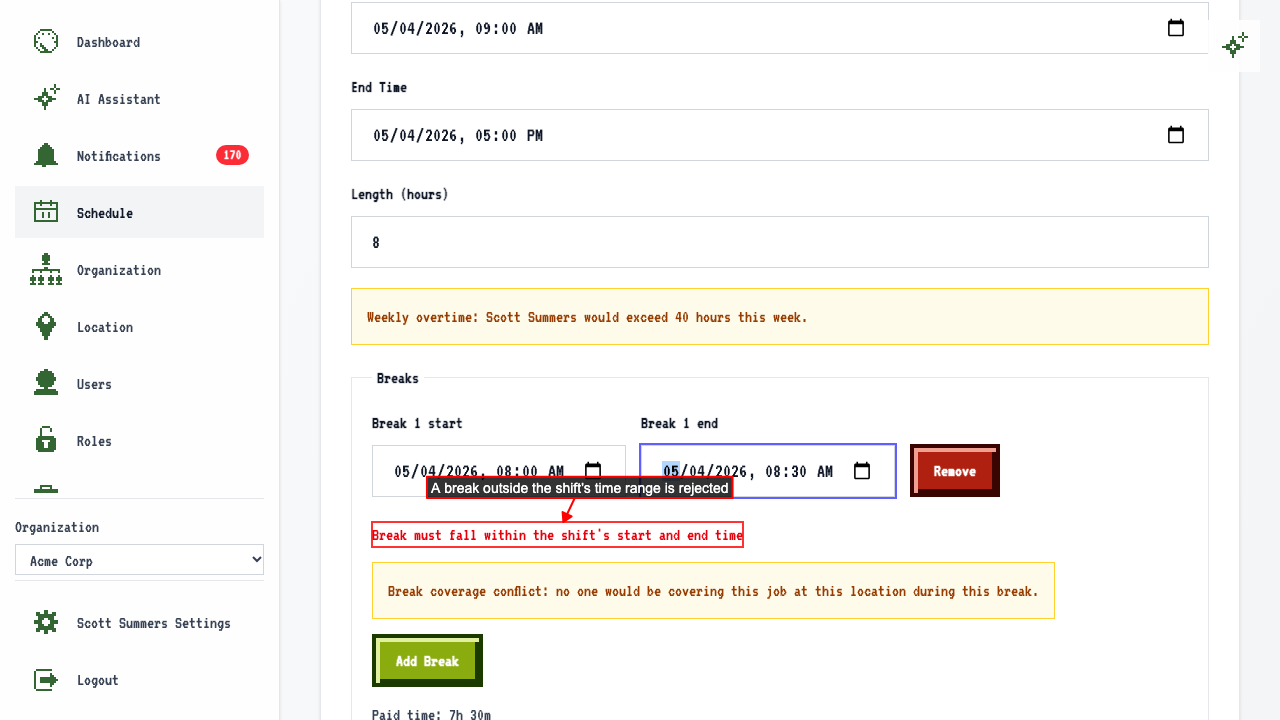 If you save anyway, the save is rejected and nothing changes.
Two breaks can't overlap
Open a shift that already has a break.
Add a second break that overlaps the existing break.
An error is shown live, before ever saving.
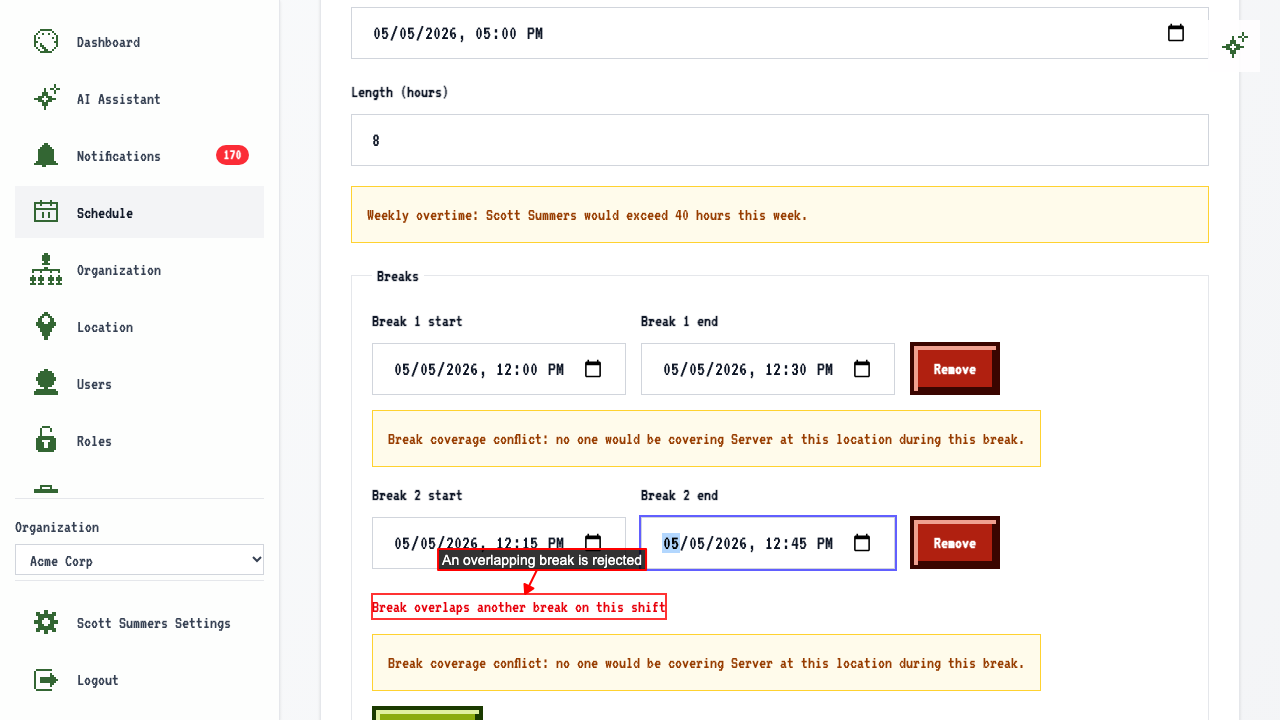 If you save anyway, the save is rejected and nothing changes.
The same applies when you edit a break
Open a shift that already has a break. Change the break's start time to before the shift starts. An error is shown live, before ever saving. If you save anyway, the save is rejected and the break stays as it was.
Editing a break so it overlaps another
Open a shift that already has two breaks. Change the first break's time so it overlaps the second break. An error is shown live, before ever saving. If you save anyway, the save is rejected and the break stays as it was.